Today we’re introducing Extending Access Duration, a new capability designed to solve a problem we kept hearing about from customers who rely on short-lived, approved access to sensitive systems.
Just-in-Time access is the right model for protecting critical resources. But real work does not always fit neatly into the time window defined when an access flow was created. When access expires at the wrong moment, it interrupts work, frustrates engineers, and often creates unnecessary operational overhead for security teams.
Extending Access Duration is about closing that gap without weakening security controls.
When Security Controls Bump Up Against Operational Needs
In speaking with engineering leads, most of the friction we heard about had nothing to do with teams questioning the need for time-bound access. It came from what happens when approved work takes longer than expected.
This shows up most often during:
Debugging production issues
Troubleshooting incidents
Working on sensitive systems protected by short access windows
In these situations, access can expire mid-task. This means that:
Sessions drop
Scripts stop running
Engineers lose context, and sometimes work
The only option is usually to request access again, which often means waiting for another manual approval.
That delay does more than slow people down. It creates pressure to ask for broader access up front, just to avoid getting blocked later. Over time, that undermines the very controls Just-in-Time access was meant to enforce.
Built for Real Work, Not Perfect Timelines
Extending Access Duration recognizes a simple reality: sensitive work rarely finishes exactly on schedule.
We’re giving teams a way to extend existing access grants, without widening permissions or weakening controls. Extensions are policy-driven, auditable, and fully configurable, keeping Just-in-Time access intact while making it usable in practice.
Extending Access Duration allows users to extend the revocation time of an existing access grant instead of starting over with a new request.
The distinction matters. This is not a new access request, and it does not expand scope or privileges. It simply extends the duration of access that was already approved, under conditions defined by security.
From the user’s perspective, the experience is intentionally simple. When access is about to expire, they receive a notification. With a single click, they can extend the session and keep working without interruption.
Admins can define exactly how long access can be extended, and how many times, directly within each Access Flow policy, keeping control simple, explicit, and consistent.
There is no reauthentication, no session teardown, and no credential rotation. The work continues as expected.
Security Controls Stay in Place
The Extending Access Duration capability is fully governed by admins and configured per access flow. Security teams decide:
Whether an access flow is eligible for extension
How long an extension can last
How many times access can be extended
These controls are granular and policy-driven. Teams can enable extension where it makes sense and keep stricter rules where it does not.
All existing guardrails remain intact.
Segregation of duties still applies.
Users cannot approve their own access.
Every extension event is logged and auditable, including when it happened and by how much access was extended.
This preserves the integrity of Just-in-Time access while removing unnecessary friction.
Breaking Down the Impact for Stakeholders
Extending Access Duration helps align access controls with how work actually happens.
For engineers — Finishing the task they are already working on without getting kicked out at the worst moment.
For security teams — Reduces approval churn, limits incentives to overprovision access, and keeps policies enforceable without becoming blockers.
For admins — Lowers operational noise while maintaining clear oversight and auditability.
Most importantly, it allows teams to maintain strong access discipline without sacrificing productivity when reality runs longer than expected.
Why This Matters
Our Extending Access Duration is not about relaxing security. It is about making Just-in-Time access resilient to real-world conditions.
Sensitive access still expires. Approvals still matter. Privileges remain scoped and temporary. What changes is that teams no longer have to choose between staying secure and staying productive when a task takes a little longer than planned.
That balance is exactly what modern access management should deliver.
Make Just-in-Time Access Work in the Real World
Extending Access Duration is part of Apono’s broader approach to policy-driven, least-privilege access that adapts to real operational conditions. Security stays intact. Productivity stays uninterrupted.
Book a demo to see how Apono balances control, auditability, and engineering velocity.
Passing SOC 2 Without the Overhead: How Zero Standing Privileges Simplifies Compliance
Getting ready for a SOC 2 audit can feel like an endless checklist. You already have tools collecting logs, provisioning users, and pulling reports from your systems, yet proving compliance still feels harder than it should be.
The biggest pain in SOC 2 is not collecting data. It is managing access in a way that continuously aligns with your own policies. A quick audit readiness assessment often reveals gaps teams don’t see day-to-day—standing access that was never removed, permissions that are broader than necessary, or controls that exist on paper but aren’t consistently enforced. You can have all the right information, but if your access privileges are stale, inconsistent, or overly broad, you are already behind.
Why SOC 2 Audits Still Hurt
Most organizations do not have a collection problem. They have a management problem.
The challenge is not getting the data. It is turning that data into consistent, enforceable access control across all your systems.
If identities are overprivileged, access policies have not been updated in months, or users have standing access to sensitive resources they rarely use, you are out of step with SOC 2 requirements before the audit even starts.
Then comes the harder question: how do you prove to auditors that least privilege is being enforced, not just once, but continuously?
How do you maintain least privilege after the cleanup is done and access starts drifting again?
If you can create, manage, and enforce your access policies centrally, you can get ahead of the pain by preventing access risks from becoming violations in the first place.
Zero Standing Privileges: Compliance That Enforces Itself
Zero Standing Privileges, ZSP, is a simple but powerful idea. Instead of granting users or service accounts ongoing access, ZSP removes always-on privileges and replaces them with access that is temporary, scoped, and granted only when needed.
With ZSP, access is:
Purpose-based
Time-bound
Automatically revoked
This approach directly supports SOC 2 requirements for restricting access (CC6.1), enforcing least privilege (CC6.2), and revoking access promptly when it is no longer needed (CC6.3). It also aligns with the broader expectations in CC3.2 and CC3.3 for ongoing risk management and oversight.
ZSP simplifies compliance by reducing your attack surface and minimizing your blast radius.
More importantly, it creates an environment where least privilege is easier to maintain and easier to prove.
Instead of retroactively showing that privileges were reviewed and removed, ZSP makes unnecessary access impossible by design.
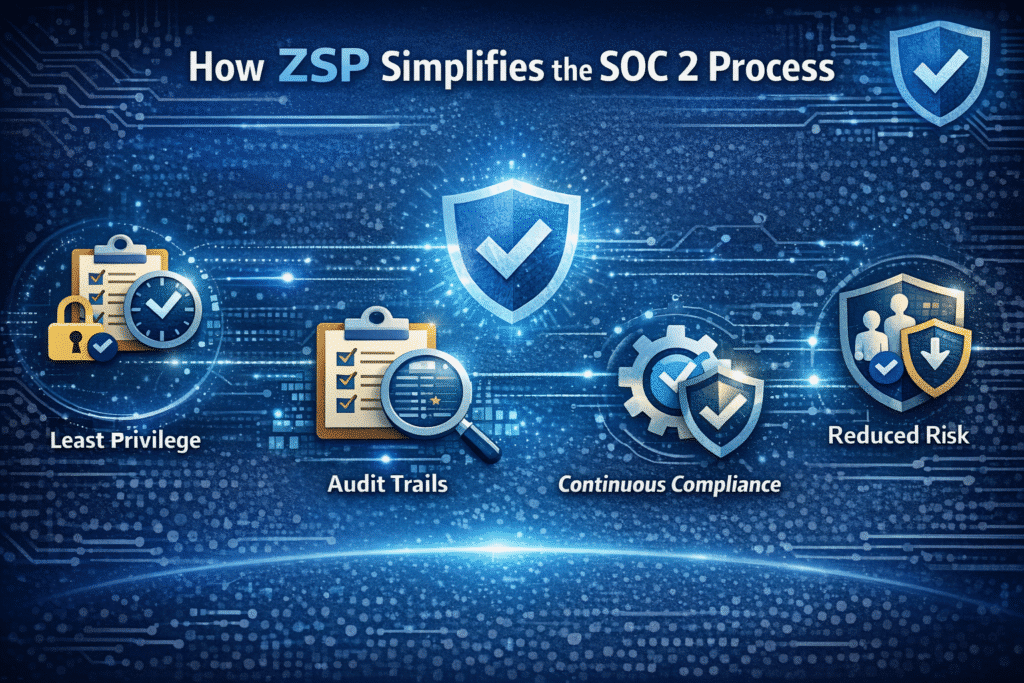
How ZSP Simplifies the SOC 2 Process
When ZSP is part of your access model, several SOC 2 challenges become far more manageable.
Least privilege is built in Because access is temporary and tied to specific tasks, you no longer depend on manual reviews to fix privilege drift. You can show auditors that access is granted only when needed and removed automatically.
Evidence comes automatically ZSP naturally produces a complete audit trail. Every access request, approval, and revocation is logged in real time. This reduces the need for screenshots, spreadsheets, or stitched-together reports from different systems.
Compliance becomes ongoing With ZSP, access controls operate continuously. You do not need to scramble before audits because least privilege is enforced operationally, not manually.
Risk is systematically reduced Removing standing access lowers the chance of exposure across humans, service accounts, and AI agents, which reduces both security risk and compliance risk.
ZSP turns SOC 2 from a reactive process into an operational standard.
Turning ZSP into Reality with Apono
ZSP is a strong foundation, but it can be difficult to implement without the right automation and visibility. Apono makes it practical.
Apono gives security teams a unified access policy engine that allows them to implement, enforce, and monitor ZSP across their cloud and hybrid environments.
Dynamic, ephemeral roles Apono creates temporary, context-based roles on demand. Access is granted Just-in-Time, scoped Just-Enough, and expires automatically.
Continuous monitoring and logging Every access action, from request to approval to revocation, is logged with full detail. This produces audit-ready evidence that aligns with SOC 2, ISO 27001, HIPAA, and other frameworks.
Automated access reviews Apono simplifies user access reviews by giving managers clear insights into who had access, why they received it, and whether they used it. This turns periodic certifications into quick, accurate decisions.
Right-sized privileges Apono continuously evaluates privilege usage and risk. Overprivilege is flagged and remediated, which helps maintain least privilege across human, machine, and AI identities.
Unified policy engine Apono applies consistent access policies across AWS, Azure, GCP, Okta, Entra ID, and more. Instead of managing fragmented access across dozens of tools, you define and enforce policy in one place.
Making SOC 2 a Seamless Process
When you automate access control with Apono and enforce Zero Standing Privileges, compliance becomes part of your operating rhythm. Least privilege is maintained continuously, audit evidence is always available, and access risk is significantly reduced.
SOC 2 stops being something you prepare for once a year and becomes something your systems uphold every day.
With the combination of ZSP and Apono’s automation, organizations can streamline compliance for SOC 2, ISO 27001, HIPAA, and other regulatory frameworks without adding overhead or slowing productivity.
Next Step
When access controls are enforced continuously, SOC 2 stops being a once-a-year scramble and becomes part of how your systems operate every day.
To understand where your current access model may still introduce audit friction, it helps to start with a simple self-assessment. The Audit Readiness Checklist lets teams evaluate access visibility, least privilege enforcement, Just-in-Time controls, and evidence generation so gaps are identified early, not during the audit.
From there, you can explore how Zero Standing Privileges and automation reduce that overhead altogether.
Our SOC 2 Compliance Datasheet also explains how continuous access enforcement supports ongoing, verifiable compliance without slowing teams down.
Top 10 Zero Trust Solutions
An engineer gets a notification at 2 a.m. because something in production is broken. They need database access right away. For many teams, that access is already sitting there. Standing permissions granted for a past need that no longer exists.
Credential abuse is still the most common way for a breach to start. It accounts for roughly 22% of initial attack paths, which is actually ahead of vulnerability exploitation at 20%. In many cases, attackers are not breaking in or exploiting a flaw. They are just using the access that already exists.
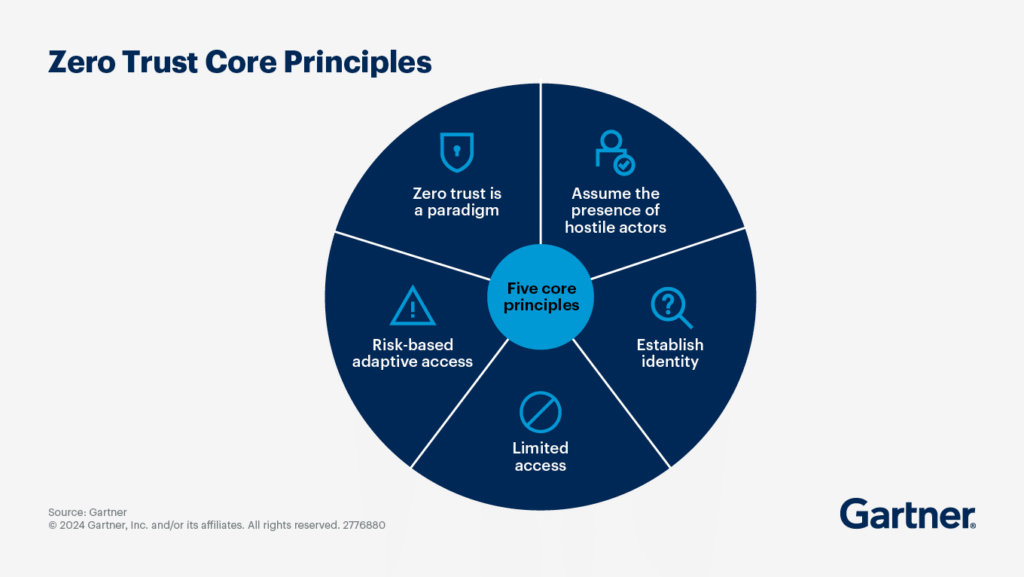
Zero trust solutions are often implemented as a login control for things like SSO or an updated VPN. This approach is useful, but incomplete. The real issue at hand is access after authentication. Your team needs access that is verified every time, scoped tightly, time-bound by default, and provable after the fact. That includes how privileged access is granted, approved, revoked, and audited by zero trust tools during everyday engineering work.
What are zero trust solutions?
Zero trust solutions control how access is granted and used. Every request is checked against identity and policy before it is allowed, and that control extends to credentials, tokens, and keys typically handled by secrets management systems. Access is not assumed just because someone is on the right network or logged in earlier.
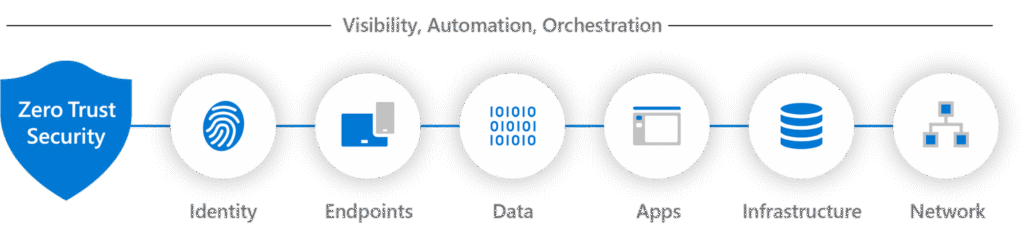
A strong zero trust architecture needs to cover all of the enforcement points. This coverage includes identity providers, endpoints, network connections, applications and APIs, data systems, and privileged access paths. If access is not controlled at those points, permissions tend to remain standing, and long-lived tokens persist.
Most zero trust platforms overlap with other categories. The key differentiator between tools is the enforcement point they control.
Identity and access management tools like IAM, SSO, and MFA handle authentication and basic access checks, but they don’t control what access exists after login.
Privileged access management and just-in-time access focus on reducing risk from powerful permissions. Standing access is replaced with time-bound permissions approved through policy.
Endpoint posture and EDR check if an endpoint is behaving strangely. This occurs before and during access to avoid treating an infected machine as trusted just because the user authenticated.
Secrets management, as poor secrets hygiene, is still a common zero trust failure point. These tools store and rotate credentials, tokens, and keys to reduce exposure from hardcoded secrets and long-lived credentials.
API security tools enforce identity-aware authorization, usage policies, and behavioral controls.
Identity threat detection and response watch behavior and privilege usage to detect abuse and lateral movement.
When access is narrow and expires on its own, stolen credentials are only useful for a short time. This aligns closely with continuous threat exposure (CTEM) programs that focus on identifying and reducing exploitable access paths.
Elimination of Risky Standing Permissions
Instead of keeping permissions around just in case they’re needed, access exists only when it’s being actively used. Once the engineer is done with their work, it disappears.
Stronger Protection for Cloud and Data-Heavy Environments
When working with systems, roles, and data that change constantly, zero trust holds up far better than static network controls.
Improved Audit Readiness and Compliance
Time-limited access with approvals and logs leaves clear documentation. You can see all access events without having to reconstruct history from tickets.
Better Developer Experience
When access is self-serve and temporary, engineers can get what they need to work quickly without accumulating permanent risk.
Key Features to Look For in a Zero Trust Solution
Strong identity verification should cover both people and non-human identities, including service accounts and automation. It needs to work beyond login and hold up during real access decisions.
Access controls should be granular and least-privileged by default. Broad roles and long-lived permissions are hard to reason about and even harder to unravel later.
Just-in-time, time-bound access keeps risk contained. Access should exist only for the window it is needed, then expire automatically without manual cleanup.
Approval workflows should fit into existing DevOps tools like Slack, Teams, or CLI, so access requests don’t turn into ticket backlogs.
Audit logs need to have searchable context, including what was accessed, when, and why. On-call access flows should not create long-term privilege creep.
Top 10 Zero Trust Solutions
Not every solution below markets itself as “zero trust.” Some of the solutions handle identity-aware access or connectivity. Others focus on things like policy, credentials, or supply-chain trust. But they all contribute in some way to access enforcement.
Apono replaces risky standing permissions with automated, just-in-time (JIT), least-privilege access across cloud infrastructure, SaaS tools, databases, and internal applications. Engineers request access through Slack, Microsoft Teams, or CLI, with policy-based approvals, auto-expiring permissions, and full audit context captured for every request.
The platform deploys in under ~15 minutes, integrates natively with major cloud providers, and uses an API-driven (not proxy-based) model to enforce access directly at the resource level. Built-in break-glass and on-call access flows let teams respond to incidents quickly without creating long-term privilege creep.
Apono also helps teams discover over-privileged human and non-human identities, surface risky access paths, and progressively move identities toward just-in-time and just-enough access models over time.
Best for
Cloud-native SaaS organizations and DevOps or platform teams that need to eliminate standing permissions while keeping engineering workflows fast and self-serve.
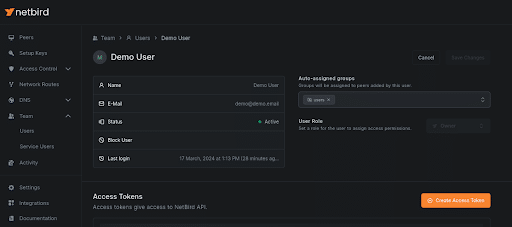
NetBird uses a WireGuard-based mesh network in which devices authenticate via an identity provider rather than a central VPN. Peers discover each other automatically and correct using encrypted tunnels. A lightweight control plane is used to apply rules per user or device.
Best for
Teams looking to replace legacy VPNs with lightweight identity-based access.
Pricing
Free tier available. Paid plans are offered for advanced features and scaling.
Secure service-to-service connections based on cryptographic identity instead of IP addresses. With Ockam, connections are encrypted, and keys are rotated automatically. Services can connect without opening ports or sharing credentials.
Best for
Teams securing service-to-service or cross-environment communication in cloud and hybrid architectures.
Signs container images at build time and verifies them before deployment using cryptographic identity. Uses keyless signing tied to CI identities, keeps signatures in the registry, and stops unsigned or changed artifacts from moving further down the pipeline.
Best for
Teams implementing zero trust principles in software supply chains.
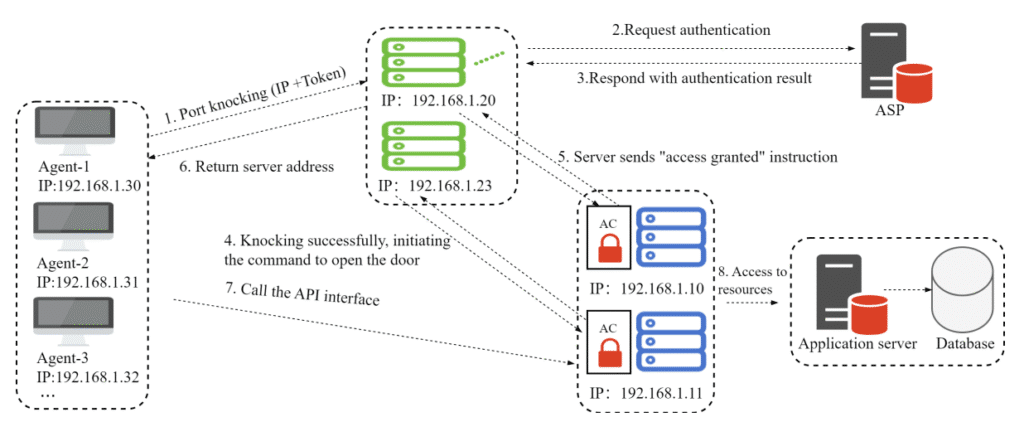
OpenNHP prevents scanning and discovery by default, encrypts traffic end to end, and only makes resources reachable when identity and policy checks pass.
Best for
Organizations focused on minimizing the attack surface at the network discovery level.
Connects users to infrastructure without exposing credentials or network access. Sessions are authorized at connection time, targets resolve dynamically, and activity is logged centrally, so secrets never need to live in shells, config files, or local environments.
Best for
Teams centralizing infrastructure access across environments while avoiding shared credentials.
Pricing
Usage-based pricing and custom enterprise pricing is available.
Evaluates access decisions in real time using shared, declarative policies. The same rules can be applied across APIs, Kubernetes, CI pipelines, and services, keeping authorization logic out of application code and consistent across systems. OPA helps prevent cloud native attacks that exploit inconsistent or overly permissive authorization logic across distributed systems.
Best for
Teams that want to centralize authorization logic instead of rebuilding it in every service.
Pushes access control into the application layer. Services connect through identity-aware overlays with no inbound ports or exposed IPs. This removes reliance on perimeter firewalls and traditional network trust.
Best for
Teams designing zero trust architectures from the application layer outward.
Sits in front of internal web applications and checks access on every request. Uses identity provider context and policy rules, keeps sessions short-lived, and logs each request so teams can see exactly who accessed which app and when.
Best for
Organizations protecting internal apps and dashboards.
Pricing
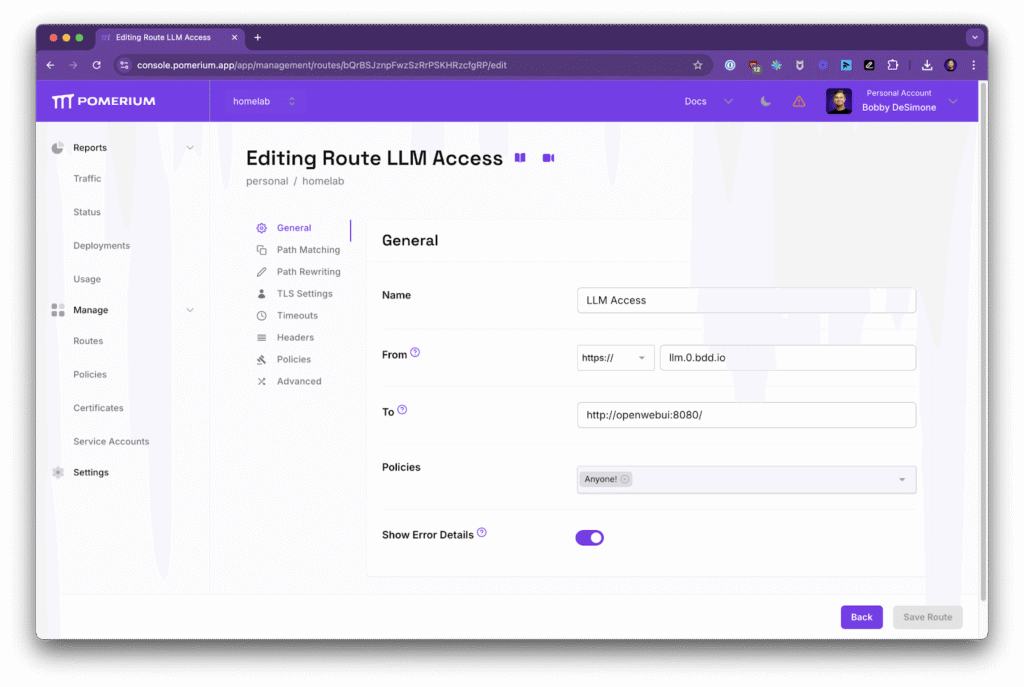
Free and paid tiers. Starts at $7/mo for business users.
Provides tools to build private network connections that require identity checks first. Services are not exposed on the network. Connections are encrypted, authenticated on both sides, and only exist while access is approved.
Best for
Teams experimenting with custom zero trust networking components.
Pricing
Free tier available. Extra features start at $15/mo.
Apply Zero Trust to Access with Apono
Zero trust is not a product you buy. It is a set of controls you operationalize. The teams that succeed focus less on perimeter tools and more on how access is granted, used, and removed across cloud infrastructure, applications, and data. They reduce standing permissions. They verify continuously. And they audit by default.
Apono applies zero trust to production access by making permissions temporary. Permissions are granted through policies and leave a full audit trail. Engineers request access via Slack or Microsoft Teams, and access is automatically revoked when they’re done.
If you’re evaluating how different platforms approach privileged access within a zero trust strategy, the details matter, especially around enforcement, scope, and operational fit for modern DevOps teams.
Book a live Apono demo to see how modern DevOps teams operationalize zero trust without slowing engineers down.
Data Governance vs Data Management: 7 Differentiating Factors
When data programs fail, they usually fail in two very different ways. Weak data governance shows up as overexposed databases, long-lived credentials, and access that quietly expands far beyond intent, often until it’s exploited. Weak data management really breaks trust from the inside out with stale or inconsistent data, pipelines that stall under their own complexity, and bottlenecks that slow decision-making. These are distinct failure modes with different root causes, yet many organizations still blur the line between governance and management.
That confusion is becoming harder to justify. GitGuardian’s 2025 State of Secrets Sprawl report found 23.77 million new secrets leaked on GitHub in 2024, a 25% year-over-year increase. This is a signal of just how widespread uncontrolled access has become across modern engineering environments.
Data use is across cloud storage, databases, analytics platforms, and internal services, and leaders can’t afford fuzzy definitions or shared ownership gaps. Understanding the difference between data governance vs data management (and how to connect the two) is crucial for keeping your sensitive data usable and defensible.
What is data governance?
Data governance is the framework of policies, rules, and controls that determine who can access data, under what conditions, and how you monitor, enforce, and scale automated access control. It defines ownership, accountability, and acceptable use across an organization’s data estate. Here it’s about security, privacy, and risk reduction, while aligning with regulatory and assurance requirements such as SOC 2, GDPR, and HIPAA.
Crucially, data governance is about decision-making and accountability, not technology alone. Tools can help enforce policies, but governance answers higher-order questions like, who is responsible for this dataset? Who approves access, and for how long? What constitutes appropriate use?
Modern governance programs that focus only on human users are incomplete because non-human identities, such as service accounts, pipelines, applications, and agents, often hold the broadest and most persistent access.
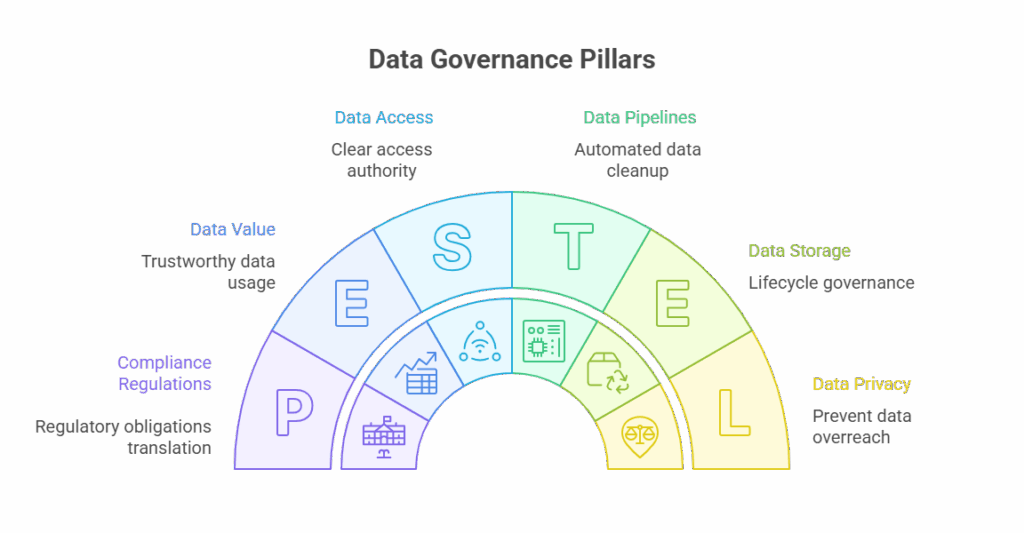
Pillars of Data Governance
If data governance does its job in your organization, it’s usually because a few fundamentals are clearly defined and consistently applied.
Data Access Policy
Who can access which data, for what reason, and for how long? This pillar is where cybersecurity best practices like least privilege and time-bound access stop becoming theory and start becoming enforceable rules.
Data Quality
When teams can’t trust the data they’re using, everything downstream suffers. Data and analytics teams define what good quality looks like. Engineering owns the pipelines and checks that stop quality from drifting over time.
Privacy and Compliance
This is a pillar that prevents accidental overreach with personal or regulated data. Compliance and legal teams define what’s allowed under regulatory and assurance frameworks like SOC 2, GDPR, or HIPAA. Security teams then make sure those boundaries are enforced wherever the data lives.
Data Lifecycle Management
Data that no longer needs to exist still carries risk. Lifecycle governance covers how data is created and how long it’s kept, as well as when it’s deleted. Data teams set retention needs. Platform and engineering teams automate the cleanup so it doesn’t need to rely on memory or good intentions.
Ownership and Stewardship
Every dataset needs a human answerable for it. Ownership makes clear who has the authority to approve access, a core principle of identity and access governance in modern data environments. It also identifies the group that carries accountability when something goes wrong. These owners often sit in data or business teams where security oversees rather than acting as the bottleneck.
Auditability and Traceability
Sooner or later, someone will ask who accessed what, and why. Auditability makes that answer straightforward instead of painful. Security and compliance depend on it for investigations and audits, while engineering ensures access activity is logged and easy to review. Audit trails should capture not just the human users, but also which non-human identity actually accessed the data.
What is data management?
Data management covers the practical, day-to-day work required to make data usable. It’s about how data is stored, moved, transformed, and kept available for the people and systems that rely on it. That includes running ETL pipelines, maintaining warehouses and lakes, managing operational databases, handling backups and recovery, and keeping metadata accurate so people can find and understand what they’re using.
Where governance defines intent, data management is about execution. It’s concerned with performance, reliability, and scale. In reality, this means making sure data arrives where it’s needed, in the right format, at the right time. Engineering and data teams own the pipelines and infrastructure, while platform and operations teams keep systems running, resilient, and cost-controlled as data volumes grow.
Importantly, data management doesn’t decide who should have access or whether a dataset should be exposed; that’s governance. Management focuses on the how, not the should.
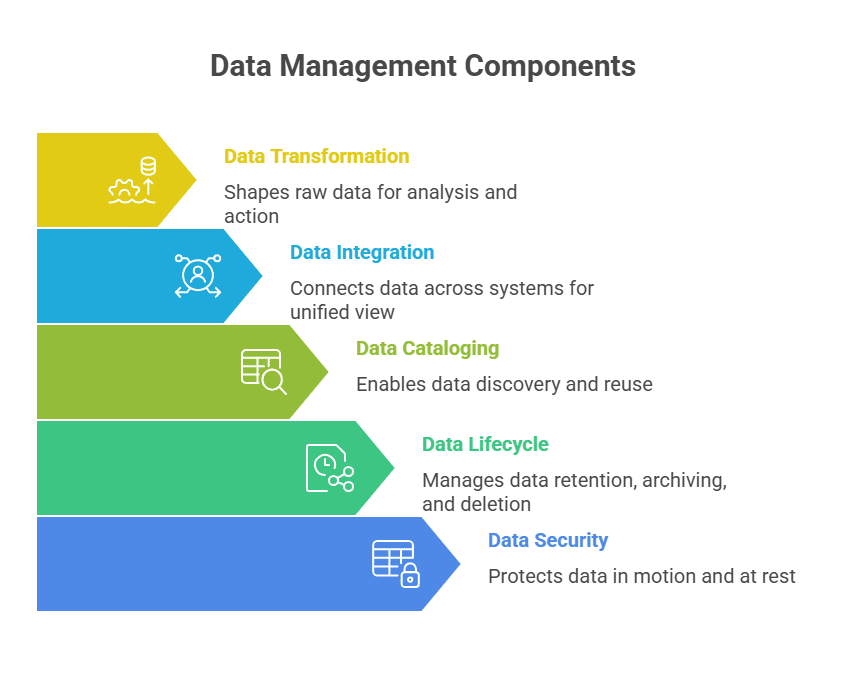
Components of Data Management
Data storage: This is where everything lives, so analytics can run queries and teams can pull the reports they need day to day.
Data ingestion: Pulls information from operational systems, third-party tools, and event streams, then pushes it into analytics platforms and downstream workflows.
Data transformation: This is the cleanup and shaping step, turning raw, messy data into something analysts can work with and apps can use.
Data integration: Connects the dots across systems so your reporting reflects reality and your apps stay consistent.
Data cataloging and metadata management: Helps people find the right data and understand what it means, so reporting doesn’t drift into “multiple versions of the truth.”
Data lifecycle management: All about retaining, archiving, and deleting data, balancing analytical needs, operational performance, and regulatory obligations.
Data security operations: Supports cloud data security by protecting data in motion and at rest while keeping analytics and business operations running.
Key Differences: Data Governance vs Data Management
1. Purpose
Data governance sets the intent for how data should be used: who can access what, in which situations, and who owns the fallout if something breaks. However, data management is the “how.” It’s the hands-on work of operating the systems that store, move, and maintain data so it’s available and usable.
2. Focus Area
Governance is where risk shows up: permissions, privacy, regulatory expectations, and preventing misuse. Management is focused on operational efficiency; think pipelines, integrations, warehouses, transformations, and keeping data flowing without breaking downstream systems.
3. Ownership
Governance typically aligns with security, compliance, and legal roles, with business stakeholders also involved. On the other hand, management sits with the teams building and running the data stack day to day: data engineering, DevOps/platform, and IT operations.
4. Scope of Responsibility
Governance answers the question: Should this access exist at all, and under what constraints? Management answers: How is this data stored, transformed, and delivered once access is granted?
5. Compliance Role
Governance is where compliance gets translated into real expectations. It means mapping internal policies and external requirements like SOC 2, GDPR, HIPAA, or CCPA to access expectations. Management implements the technical pieces that support those requirements, such as encryption, retention mechanisms, and system-level controls.
6. Risk Impact
Governance reduces organizational and security risk by limiting exposure, enforcing least privilege, and supporting continuous monitoring of data access. Management reduces operational risk by improving data reliability, accuracy, uptime, and availability for teams that depend on it.
7. Tooling
Governance relies on tools for policy definition, access control, identity governance, and audit trails. Management depends on databases, ETL and orchestration tools, data warehouses, integration platforms, and master data systems.
Table 1: Key Differences
Dimension
Data Governance
Data Management
Primary purpose
Defines rules, access boundaries, and accountability
Executes storage, movement, and processing of data
Core question
Should this data be accessed, by whom, and why?
How is this data stored, transformed, and delivered?
Focus
Security, compliance, privacy, risk reduction
Performance, reliability, scalability
Ownership
Security, compliance, legal, data governance teams
Data engineering, platform, DevOps, IT ops
Compliance role
Translates SOC 2, GDPR, HIPAA into enforceable policies
How do data governance and data management work together?
Governance protects meaning and boundaries; basically, what the data represents, how sensitive it is, and what risks are acceptable. Management, on the other hand, protects functionality by keeping pipelines running, queries fast, backups reliable, and downstream systems fed. You need both.
Governance without strong management leads to compliant-but-unusable data. Management without strong governance produces highly available data that quietly becomes overexposed, misused, or impossible to audit once regulators, auditors, or incident responders come asking questions.
This gap matters a lot more now that data access is focused on automation. You can write all the right policies, but they won’t enforce themselves, especially when access runs through NHIs that don’t map cleanly to classic governance. In those environments, secret management is one of the quickest ways to cut down long-lived credentials and reduce blast radius. If enforcement is inconsistent, governance slowly turns into paperwork, no matter how polished the docs are.
Operationalizing Data Governance with Apono
Treating data governance and data management as the same function is where many data programs quietly fail. That risk grows as access shifts from humans to pipelines, service accounts, and agents. Policies don’t reduce exposure when enforcement relies on long-lived credentials and standing access that outlasts the task.
Apono acts as the enforcement layer between data governance and data management, translating governance decisions into time-bound, least-privilege access across both human and non-human identities, without slowing engineering teams down. By automating Just-In-Time access and maintaining centralized audit trails, Apono helps organizations operating under compliance regulations, such as HIPAA and GDPR, to turn governance from a documented intention into something measurable and defensible.
Vendor Acquired? What It Means for Your PAM Strategy
Over the past two years, we’ve watched a steady wave of acquisitions reshape the privileged access market. For many security leaders, that wave has now hit home. Your PAM vendor has been acquired, absorbed into a larger platform, and suddenly the roadmap you once relied on feels less certain.
This moment is easy to dismiss as “business as usual.” It is also one of the rare points where it actually makes sense to step back and reassess your PAM strategy with fresh eyes.
Vendor acquisitions are not inherently bad. In many cases, they validate the importance of the problem being solved. But they also change incentives, priorities, and pace. For organizations that already feel friction around access management, cloud scale, or AI readiness, this can be a practical opportunity to decide whether staying put still makes sense, or whether it’s time to look at alternatives built for where access is headed next.
Why PAM Consolidation Is Accelerating
The recent acquisition activity reflects a growing recognition that identity, and particularly privileged access, has become foundational to security in the cloud and increasingly to AI-driven environments.
In the past two years alone, we’ve seen:
2024
CyberArk acquires Venafi to expand coverage for non-human identities for $1.5 billion
First, large security platforms understand that controlling privileged access is essential as organizations move toward AI-driven operations. They are buying capabilities to ensure they are not caught flat-footed, the way many were during the initial cloud transition.
Second, identity-focused vendors recognize that legacy PAM architectures built for on-prem environments are no longer sufficient. The shift to cloud infrastructure, API-driven services, and autonomous systems demands a different approach to access control.
For customers, however, these acquisitions raise an important question. Does the new parent company’s vision align with what you actually need from PAM going forward?
How Can an Acquisition Impact Your PAM Strategy Right Now?
When a startup is acquired by a large platform, the technology does not disappear overnight. But the dynamics around it often change.
Product direction may shift toward platform alignment rather than customer-driven innovation. Roadmaps slow as teams integrate codebases and processes. Support models change. Features that were once core can become secondary to broader platform goals.
This does not automatically make the solution worse. But it does change the calculus for customers who were relying on that vendor to solve specific access challenges at cloud scale.
More importantly, it creates a natural pause point. A chance to ask whether your current PAM approach is positioned to handle what comes next, not just what worked yesterday.
Identity, Cloud Scale, and Why Static Models Fell Behind
Privileged access management worked reasonably well in the on-prem era because the environment was stable.
Infrastructure changed infrequently. Permissions were coarse-grained. Identities were almost entirely human. Static roles and periodic access reviews, while inefficient, were manageable.
That world no longer exists.
The move to the cloud fundamentally changed the problem:
Infrastructure adoption accelerated faster than most security programs anticipated
Resources multiplied and permissions became increasingly granular
Change shifted from quarterly to daily
Even when identity management was limited to humans, static roles and periodic reviews struggled to keep up.
Then came the explosion of non-human identities.
Service accounts, workload identities, API tokens, CI/CD pipelines, and automation are now embedded everywhere. These identities are predictable in function, but they exist at massive scale. Estimates now place the ratio of non-human identities to humans at roughly 150:1.
Most of these identities sit outside traditional IdPs like Okta or Entra ID. Visibility is fragmented. Lifecycle management is weak. Permissions are often left overly broad because teams are understandably afraid of breaking production workflows.
Now we are entering the Agentic AI era, where earlier cracks widen further.
AI agents combine human-like autonomy with machine speed and scale. They decide what to access, when to act, and how to proceed, often without direct human oversight. If non-human identities were already a scaling challenge, AI is a multiplier.
This is why identity has become the limiting factor for both cloud security and AI adoption.
Why “Modern PAM” Still Fell Short
Some newer PAM solutions attempted to address cloud access challenges, but many carried forward assumptions that no longer hold.
Tools like StrongDM and Teleport were built around proxies and local network concepts. They change how engineers connect, introduce operational overhead, and require agents and pre-created roles. That model can work in certain environments, but it still slows teams and shifts complexity onto admins.
Other tools, like Entitle, introduced API-based connectivity but continued to rely on static, pre-defined roles. That reduces some friction, but it does not eliminate role sprawl, privilege accumulation, or manual maintenance.
The common thread is static management. Roles are still defined ahead of time, permissions accumulate over time, and reviews happen after the fact.
That model struggles under continuous change.
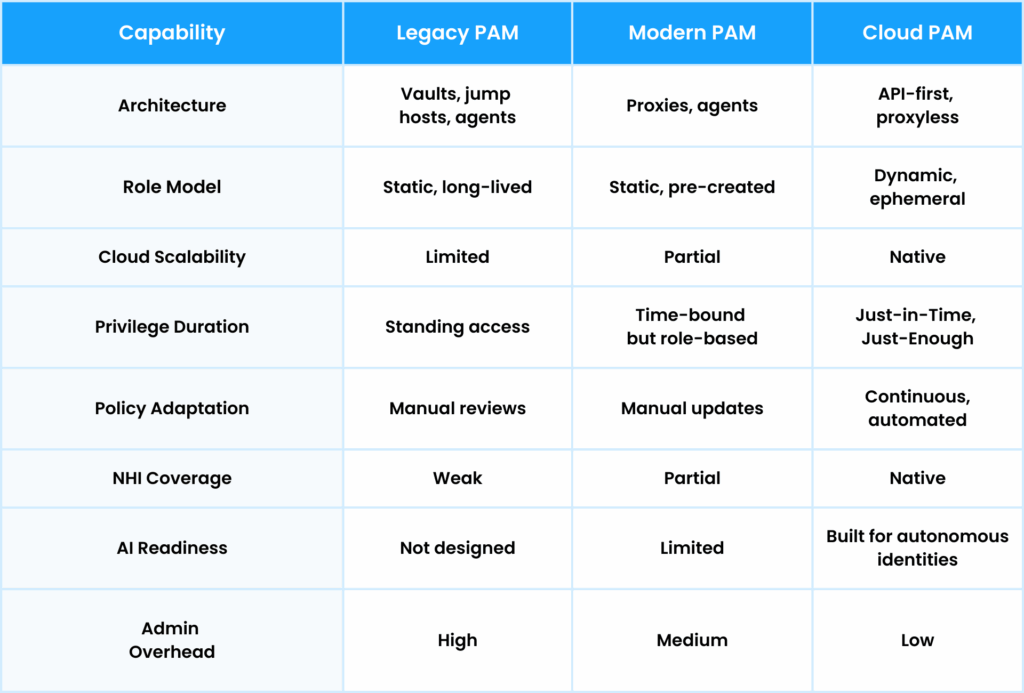
Legacy PAM vs Modern PAM vs Cloud PAM
Below is a high-level comparison of how these approaches differ. This table is meant to frame the discussion, not replace deeper evaluation.
Why Platformization Is Not Always the Best Answer
There is a natural pull toward platforms. A single vendor, a single contract, fewer integrations. In theory, this simplifies life.
In practice, platformization comes with trade-offs that are worth considering, especially after an acquisition:
Best-of-breed capabilities are often diluted in favor of broad coverage
Innovation slows as features compete for platform priority
Customer feedback loops lengthen
Product responsiveness can suffer
Ironically, these are often the same reasons the startup was attractive in the first place.
For security leaders, the question is not whether platforms are good or bad. It is whether a platform-centric roadmap aligns with the access challenges you are actively facing.
What to Look for When Re-Evaluating Your PAM Strategy
As organizations reassess their PAM approach, a few themes consistently surface:
Can access decisions adapt continuously as context changes?
Are privileges scoped dynamically per task, not per role?
Is access enforced directly through cloud APIs?
Does the model reduce operational overhead instead of shifting it?
Can the same approach govern humans, non-humans, and AI?
These are not theoretical questions. They determine whether access becomes an enabler or a bottleneck as environments continue to evolve.
How Apono Approaches Cloud Privileged Access
At Apono, we start from a simple premise. Access decisions cannot be static in environments that change constantly.
Rather than managing large catalogs of pre-defined roles, we generate tightly scoped permissions on demand and remove them automatically when the task is complete. Access policies are driven by risk and real-time context, not assumptions made weeks or months earlier.
Automated policy adaptation as resources and usage change
Consistent governance across humans, non-human identities, and AI
Because the model is built around risk rather than identity type, it extends naturally to Agentic AI without introducing separate control frameworks or manual processes.
Turning Consolidation Into a Strategic Advantage
Vendor acquisitions are a reality of the security market. They can bring stability, scale, and resources. They can also create moments where customers pause and reassess.
If your PAM vendor has been acquired, this isn’t a crisis. It’s an opportunity to step back and ask whether your access strategy is aligned with where your organization is going — not just where it’s been.
Identity security today isn’t about quarterly reviews or static roles. It’s about continuous enforcement that can keep up with cloud infrastructure, non-human identities, and increasingly automated access patterns.
Before committing to a new roadmap or long-term contract, it’s worth pressure-testing your requirements against how access actually behaves in modern environments — and what recent consolidation signals about where the market is heading.
Our PAM Buyer Guide was created for security and engineering leaders navigating this exact moment.
It outlines what to evaluate when reviewing PAM strategy today, including cloud access models, non-human identities, and AI-driven access — and where legacy assumptions often break down.
Download the PAM Buyer Guide to ground your decision in the right criteria, or book a demo if you want to see how cloud-native privileged access works in practice.
7 Pitfalls to Consider When Configuring IAM:PassRole
Nobody breaks into AWS by logging in as root and announcing themselves. They start with something small, such as a leaked key. IAM:PassRole is the kind of permission that creates a clean privilege-escalation path if you’re not watching it closely.
The problem is that IAM:PassRole slips through because it’s not obviously “admin.” It’s a capability that allows an identity to borrow someone else’s privileges, especially when teams scale, and machine identities are granted standing permissions to keep things moving.
These non-human identities (NHIs) often hold persistent PassRole permissions that manual audits cannot track. When you misconfigure PassRole, you are essentially building an invisible attack path for privilege escalation. But, with credential abuse appearing in 22% of analyzed breaches as the top initial attack vector, you can’t afford to cut corners.
What is IAM:PassRole? A Quick Overview for AWS Users
IAM:PassRole allows a principal to “pass” an IAM role to an AWS service, such asEC2, Lambda, or ECS.
AWS services don’t automatically get permission to touch your resources. So, you have to give them a role to work with. If you launch an EC2 instance that needs to write to an S3 bucket, you don’t give the EC2 service those permissions directly. You attach an IAM role with S3 access and pass that role to the instance at launch.
It’s vital to distinguish PassRole from AssumeRole:
AssumeRole is when an identity takes on a role to inherit its permissions directly.
PassRole is when an identity assigns a role to a service, allowing the service to perform tasks.
It is a core part of identity and access governance in AWS because you’re defining who can delegate privileges to workloads. Everyday use cases of IAM:PassRole include assigning execution roles to ECS tasks, allowing Lambda functions to access backend resources, or enabling CI/CD pipelines to launch new workloads.
Why are IAM:PassRole misconfigurations a common attack vector?
Misconfigured PassRole permissions are a target because they determine which roles can be used by which workloads. If you don’t scope this correctly, you can unintentionally grant escalated privileges to developers, pipelines, or compromised NHIs.
Most attackers don’t go straight for your most valuable server. They go for the easy win through a low-privilege identity that has both pass roles and launch compute. With IAM:PassRole, plus something like ec2:RunInstances, attackers can create a new instance, attach an admin-level role, and pull the credentials from the instance metadata service.
Machine identities make this easier because they’re often always-on and rarely watched as closely as human users. Furthermore, even a well-scoped PassRole permission can be undermined if the trust policy on the target role is too permissive, allowing unauthorized services to assume it.
PassRole abuse is so difficult to prevent with periodic reviews or static guardrails alone. By the time a risky delegation is discovered, the permission has often already been exercised by a bot or compromised token long before a human ever notices. At scale, you need automated access control systems that can spot PassRole use outside normal deployment patterns and shrink the window for misuse.
7 Pitfalls to Consider When Configuring IAM:PassRole
1. Granting PassRole Permissions Too Broadly
Broad permissions involve using “Resource”: “*” in a policy instead of naming specific Role ARNs. It is common in “Developer” managed policies designed for speed, where engineers are given a blank check to attach any existing role to a new resource. By failing to specify resources, you allow the user to utilize every identity in the account as a potential stepping stone.
Implications:
A principal can pass any role in the entire account to a service.
If the user can launch compute, they can grant themselves AdministratorAccess by passing the most powerful role to a resource they control.
It removes the primary guardrail meant to stop a single compromised credential from taking over the account.
2. Allowing Roles That Can Escalate to Admin Privileges
Sometimes the problem is that the user can pass a role that has too many permissions. If they can pass roles with AdministratorAccess or PowerUserAccess, they don’t need admin permissions directly. Even with a locked-down user policy, they can still hand an admin role to a service.
Implications:
The user effectively becomes an administrator because they can create a resource with those powers.
It creates a bypass for restrictive identity policies that were intended to limit access for that specific user.
It expands the blast radius of a compromised account to include the entire cloud environment.
3. Misconfigured Trust Policies That Open the Door to Abuse
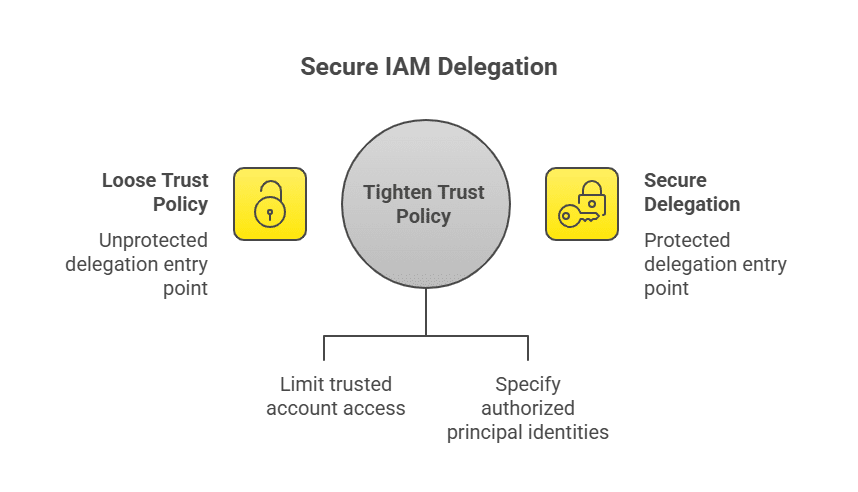
Misconfigurations occur when a target role has a trust policy (the AssumeRolePolicyDocument) that is too wide, such as trusting an entire account ID or using a wildcard Principal. This stage is where traditional IAM reviews and static policies often fail, especially when most of the identities involved are non-human.
While your PassRole policy may appear secure on the surface, a loose trust policy on the role itself means the receiving end of the delegation remains unprotected. When this architectural gap exists, your security logic effectively stops halfway. You might have restricted the delegation process, but the role’s entry point remains dangerously exposed.
Implications:
Restricting who can pass the role becomes irrelevant if a weak trust policy allows any authorized service in the account to assume it.
It invites “confused deputy” scenarios where a legitimate service is tricked into acting on behalf of an unauthorized user.
The essential security handshake between the delegator and the role is broken, leaving the delegation open to exploitation.
4. Overlooking NHIs Using PassRole
Pipelines and bots often have PassRole access to ensure automation continues smoothly. Because these are not people, they usually miss out on regular security audits and identity lifecycle reviews. These automation accounts often reside in the shadows, holding permanent, high-impact permissions that are vulnerable to exploitation if a secret is ever leaked from a code repository or build environment.
From an attacker’s perspective, NHIs are the most reliable access brokers in the environment. If your CI/CD secrets aren’t tightly controlled, secret management becomes central to your IAM strategy.
Implications:
NHIs lack MFA protection, making them a path of least resistance for attackers.
A leaked CI/CD token provides a persistent “access broker” for horizontal movement.
Attackers can use these identities to pass admin roles without triggering standard “new user” alerts.
5. Relying on Long-Lived Credentials With PassRole Permissions
IAM:PassRole shows up in real life in the worst places. It looks like old scripts nobody maintains or credentials on a developer’s laptop. Once PassRole is tied to long-lived credentials, it becomes a permanent privilege. The attacker can return tomorrow, next week, or at any time, and continue passing roles until you shut it down. And, if the key was exposed through a compromised dev tool or dependency, you’re dealing with supply chain risk plus standing privilege.
Implications:
Leaked keys provide an indefinite window for an attacker to escalate privileges.
Unlike session-based access, these keys don’t expire and require manual revocation.
It increases the presence of “dormant” privileged access on forgotten servers.
6. Not Restricting Which Roles Can Be Passed to Which Services
Failing to restrict roles happens when a policy lacks the iam:PassedToService condition key. It allows a role to be passed to any service principal in the account rather than just the one it was built for. Without this constraint, a role designed with specific guardrails for a Lambda function could be repurposed by an attacker for an EC2 instance, where they have much more interactive control.
Implications:
A role meant for a restricted Lambda function could be passed to an EC2 instance instead.
Attackers can move ephemeral permissions into an interactive environment where they have shell access.
It bypasses the governance of short-lived environments, allowing roles to be used on unauthorized resource types.
7. Lack of Monitoring for Role Use, Abuse, or Drift
As headcount and automation increase, your original access model rarely survives unchanged. If you want to close the gap created by IAM drift, you need detection that flags any PassRole activity that doesn’t match your usual deployment behavior. Otherwise, an attacker can blend in and use PassRole to move laterally without much resistance. Monitoring is one of those areas where teams have to automate processes, as manual reviews won’t catch off-hours role passing reliably.
Implications:
Leaving permissions “always on” turns a functional tool into a permanent vulnerability.
Attackers often wait for off-hours to pass roles, knowing detection is less likely when the team is offline.
You lose the ability to enforce strict deployment windows, which are vital for limiting when role passage can actually occur.
Table 1: PassRole Pitfalls at a Glance
Pitfall
What goes wrong
Why it’s dangerous
1. PassRole is too broad
“Resource”: “*” lets a principal pass any role.
A compromised identity can attach high-privilege roles and escalate fast.
2. Passable roles include admin power
Admin/PowerUser roles are in the “passable” set.
Users/pipelines can indirectly gain admin via a service they control.
3. Trust policy is too permissive
The role trusts wide principals/accounts/services.
PassRole controls are bypassed if the role can be assumed too freely.
4. NHIs aren’t governed
Pipelines/bots keep PassRole with little review.
Stolen tokens become reliable, low-noise escalation paths.
5. Long-lived creds have PassRole
Static access keys retain PassRole indefinitely.
Leaked keys enable persistent privilege escalation until revoked.
6. No iam:PassedToService restriction
Roles can be passed to unintended services.
Attackers can move roles into EC2 for interactive control.
7. No monitoring for PassRole use
PassRole events aren’t tracked or alerted on.
Abuse can happen off-hours or outside deploy windows undetected.
How to Configure IAM:PassRole Safely
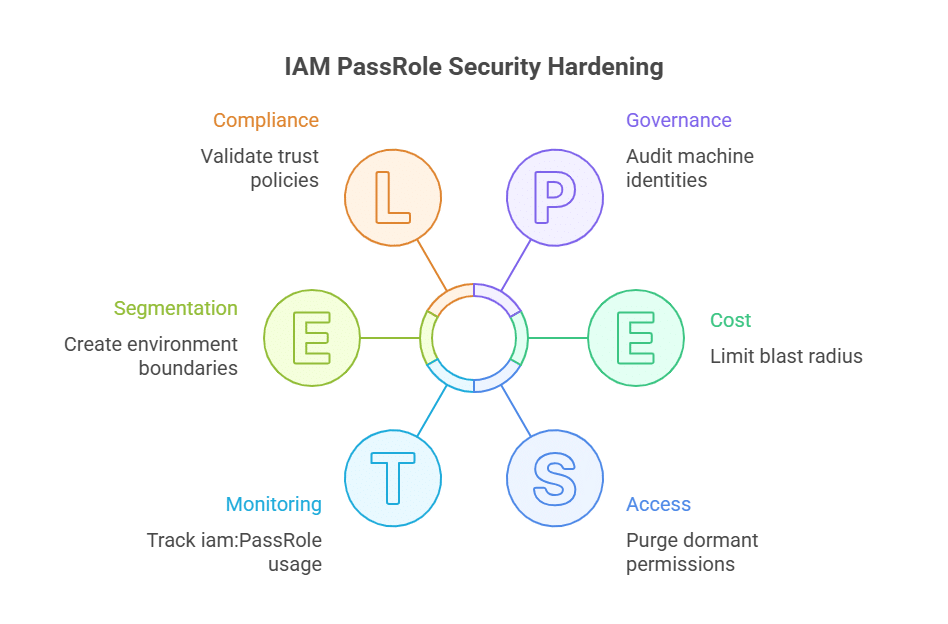
Anywhere you see “Resource”: “*”, assume attackers will eventually abuse it and replace it with specific Role ARNs. Then, you can ensure that staging environments can’t pass or assume production roles, even if someone mis-clicks.
Keeping an inventory of which humans and NHIs truly need PassRole is a crucial step in getting stricter about trust policies. Of course, you’ll need to delete anything stale. Once you’ve verified that PassRole is time-bound and monitored, it should appear during known workflows, such as break-glass events. The more you can standardize those workflows with clear owners, approvals, and workflow integrations, the harder it is for risky role passing to hide in the noise. If it appears outside of these patterns, especially from NHIs, hit the alarms.
It’s important to note that Zero Trust isn’t a one-and-done configuration. You can build all these controls with IAM, but enforcing them consistently (especially for NHIs) becomes operationally heavy without automated access control systems.
From IAM Hygiene to Identity-First Control
IAM:PassRole creeps because it’s used for a quick fix, then becomes too convenient. Eventually, it’s a default dependency, especially for automation use cases. Over time, these privilege escalation paths become increasingly difficult to distinguish until attackers target them.
Apono takes always-on delegation off the table and replaces it with Just-In-Time access. With Apono, access comes hand-in-hand with context and is approved in the workflow and time-bound by default. You’ll get the control and auditability you need for production environments without turning engineering into a ticket queue.
Not sure how much standing privilege still exists in your environment? Start with the Zero Standing Privilege (ZSP) Checklist for a quick self-assessment.Then, when you’re ready to go deeper, download the Apono Privilege Discovery & Remediation Datasheet to see how teams identify and eliminate risky access across both human and non-human identities.
Apono + MongoDB: Secure Access Across MongoDB, Atlas, and Atlas Portal
MongoDB powers some of the world’s most modern applications .Everything from self-managed deployments to fully managed cloud environments run with MongoDB Atlas. But as teams scale across environments and projects, managing secure access becomes increasingly complex.
Apono brings Just-in-Time, least-privilege access to MongoDB services across MongoDB, MongoDB Atlas, and MongoDB Atlas Portal.
One Access Layer for Every MongoDB Deployment
Whether you’re running MongoDB in the cloud or using fully managed MongoDB Atlas, Apono provides a single access governance model with automatic resource discovery and just-in-time (JIT) access across all MongoDB deployments.
Across MongoDB, MongoDB Atlas, andthe MongoDB Atlas Portal, Apono delivers a unified access governance layer that automatically discovers clusters, databases, collections, and roles, and enforces secure, just-in-time, least-privilege access at scale. By centralizing discovery and policy-driven access workflows across self-managed and cloud-managed MongoDB environments – including multiple Atlas organizations and projects – Apono enables teams to manage access consistently, whether connecting to a single cluster or operating across many.
Instead of managing permissions statically and separately across environments, Apono unifies MongoDB access under a single, policy-driven control plane. This enables security teams to define access policies once and apply them consistently across all MongoDB resources, no matter how many projects, databases, or clusters exist.
Just-in-Time Access with Zero Standing Privileges
The integration of Apono and MongoDB eliminates permanent MongoDB permissions by enforcing:
Just-in-Time (JIT) access.
Just-Enough-access (JEA) permissions.
Automatic revocation when access expires.
Users only have access when they need it,dramatically reducing blast radius and credential sprawl.
Self-Service Access with Centralized Control
With Apono and MongoDB integrations, engineers, DevOps, and data teams can request access to MongoDB resources through Slack, Teams, CLI, Backstage, MCP servers, or the Apono portal. Access is granted automatically based on company policy, approvals, and context – eliminating tickets while preserving security and oversight.
Auditability Built In
Every access request is fully logged, including who accessed which MongoDB or Atlas resource, for how long, and under what approval. This provides clear audit trails for compliance frameworks such as SOC 2 and ISO 27001.
Better, More Secure MongoDB Access Starts Here
Together, MongoDB, MongoDB Atlas, and MongoDB Atlas Portal deliver the scale and performance modern applications demand. Apono supports your scale and velocity by ensuring that access is secure and governed at every layer.
Better security. Faster access. One unified access model. Better together.
Contact our team for a demo and see how you can start implementing Zero Standing Privileges (ZSP) across the MongoDB ecosystem today.
Why Did CrowdStrike Buy SGNL? It’s all about AI
Security powerhouse CrowdStrike made headlines this week with a major acquisition in the identity space with their purchase of SGNL for a reported $740 million. If you’re wondering why did CrowdStrike buy SGNL, you’re asking the right question. And you’re probably not alone.
Over the past year, we’ve watched some of the largest security platforms in the world spend real money acquiring identity security companies.
From the outside, it might look like platforms buying solutions in a standard consolidation story. From the inside, it looks more like preparation. Specifically, preparation for a future in which identity becomes the most critical control plane for securing cloud environments and the AI systems now operating within them.
At Apono, we see this acquisition as something to celebrate. Not because a competitor was acquired, but because it validates a reality we’ve been living in for years. Identity security has reached a scale and complexity that legacy approaches simply cannot handle. And with AI entering the picture, that gap is becoming impossible to ignore.
Consolidation of Privileged Access Is a Sign of Challenges to Come
CrowdStrike’s acquisition of SGNL is part of a much broader pattern. Over the last 18 months, security vendors have been moving aggressively to close gaps in identity, access, and cloud authorization.
Now the latest news to break was today’s announcement of Delinea’s acquisition of StrongDM, doubling down on the fact that the big players in the security industry are working hard to ensure that they’re not left flat-footed on identity for Agentic like they were with the advent of the cloud.
And that’s the backdrop for why did CrowdStrike buy SGNL? It’s a recognition that Identity isn’t a feature anymore. Managing privileged access is simply foundational. But how did we get here?
Why Identity Has Become the Limiting Factor for AI
The pressure around identity and access did not appear overnight. It built up in layers as environments changed faster than access models could adapt.
Before the cloud, access management lived in a very different world:
Infrastructure was static and long-lived, changing infrequently and predictably
Identities were almost entirely human and relatively easy to enumerate
Permissions were coarse-grained, often all-or-nothing access to a system
Roles were created once and reused for years with minimal adjustment
Access reviews happened periodically and were simply approved, causing access creep.
Manual approvals and standing access were inefficient but manageable
In that environment, static roles and slow processes were imperfect, but they mostly worked. The problem is that the world they were built for no longer exists.
It started with the move to the cloud:
Infrastructure adoption accelerated faster than most security programs anticipated
Resources multiplied, permissions became far more granular, and change shifted from quarterly to daily
Even with only human identities, static roles and periodic access reviews quickly stopped scaling
Then came the explosion of non-human identities:
Service accounts, workload identities, API tokens, CI/CD pipelines, and automation spread everywhere
These identities are predictable in function but exist at a massive scale
The ratio of non-human identities to humans is now estimated at roughly 150:1
Most sit outside traditional IdPs, with fragmented visibility, weak lifecycle controls, and permissions left overly broad to avoid breaking production
Now we are entering the Agentic AI era, and earlier cracks are widening:
Agentic AI combines human-like autonomy with machine speed and scale
These systems decide what to access, when to act, and how to proceed, often without direct human oversight
They ingest untrusted inputs, interact across systems, and operate continuously
If non-human identities were already a scaling problem, Agentic AI is a multiplier.
As it stands, AI vendors will manage their models, just as cloud providers manage infrastructure. But organizations still own access. They remain responsible for what identities can reach, what actions they can perform, and where guardrails exist when things go wrong.
And this is where many organizations are running into a hard truth: they do not yet have their identities under control, human or otherwise. AI does not introduce new access failures. It accelerates the ones that already exist.
As Den Jones of 909Cyber put it in a recent Forbes article by Tony Bradley, “Most companies don’t struggle with AI because the models are bad. They struggle because their systems, identities, and data aren’t ready for it.”
This realization that they need to get their privileged access in order has led both customer organizations and big security vendors to seek out Privileged Access Management tools to reduce their access risk.
Why Dynamic Authorization Is the Real Shift
What SGNL got right, and what we have been building toward at Apono, is that access decisions cannot be static. They need to be continuous, contextual, and risk-driven. That applies equally to human users, non-human identities, and now AI-driven ones.
This is exactly what CrowdStrike’s President Michael Sentonas pointed to in his announcement blog. Managing access across all identity types requires decisions that adapt in real time, not policies that are frozen at creation and cleaned up later.
What we see from Sentonas’ post is that the real value of managing access in the cloud is not in turning access on and off. It is about continuously aligning access decisions with risk as identities, resources, and usage patterns change.
That is what dynamic authorization actually means, and why we believe that Apono is well placed to lead the identity security industry into the Agentic AI age.
How We Think About This at Apono
At Apono, we start from a simple position: access decisions cannot be static in constantly changing environments. In the cloud, defining access once and reviewing it later is disconnected from how work actually happens.
Resources change, teams shift, and usage patterns evolve continuously. Access controls have to keep pace with that reality.
Our approach is built around a few core principles:
Access decisions should be driven by risk and real-time context, not pre-defined roles
Privileges should exist only for the duration and scope of a specific task
The same governance model must apply across humans, non-human identities, and AI
Instead of managing large catalogs of static roles, we provide tightly scoped permissions on demand and remove them automatically when the task is complete. This eliminates standing access, reduces privilege sprawl, and keeps least privilege aligned with how systems are actually used.
Because our Just-in-Time model is based on context and risk rather than identity type, it extends naturally to Agentic AI without introducing a separate control framework.
Why This Acquisition Validates the Direction
If you don’t have human and machine identities under control today, you won’t be ready for AI tomorrow. Period.
The SGNL acquisition, followed closely by StrongDM’s announcement, reinforces the same message. Security platforms are racing to catch up to the reality that identity is now the control plane for everything else.
And they are racing to catch up.
What Comes Next
Our prediction is simple. We will continue to see consolidation in the privileged access sector, heating up alongside the general AI space.
For security leaders, the takeaway is not about vendors. It’s about readiness. Identity security is no longer about quarterly reviews or static roles. It’s about continuous enforcement at scale.
And that’s why this moment matters.If you’re interested in how this looks in practice, you can explore Apono’s approach to Just-in-Time, Just-Enough accessand see how identity can become an enabler rather than a blocker as AI becomes part of everyday operations.
Top 10 Identity and Access Management Tools
As cloud environments sprawl and engineering teams scale, the number of identities you manage has exploded. It’s no longer just employees and contractors; CI/CD pipelines, service accounts, API tokens, and AI-powered agents are all asking for access to production systems and sensitive data.
It’s no shock that identity has become a top-line priority for security and platform leaders. 78% of organizations plan to ramp up spending on identity and access management tools to ease concerns over identity-based attacks that lead to phishing and lateral movement. The challenge in choosing an IAM tool is finding one with the capability to scale with your cloud footprint.
What are identity and access management tools?
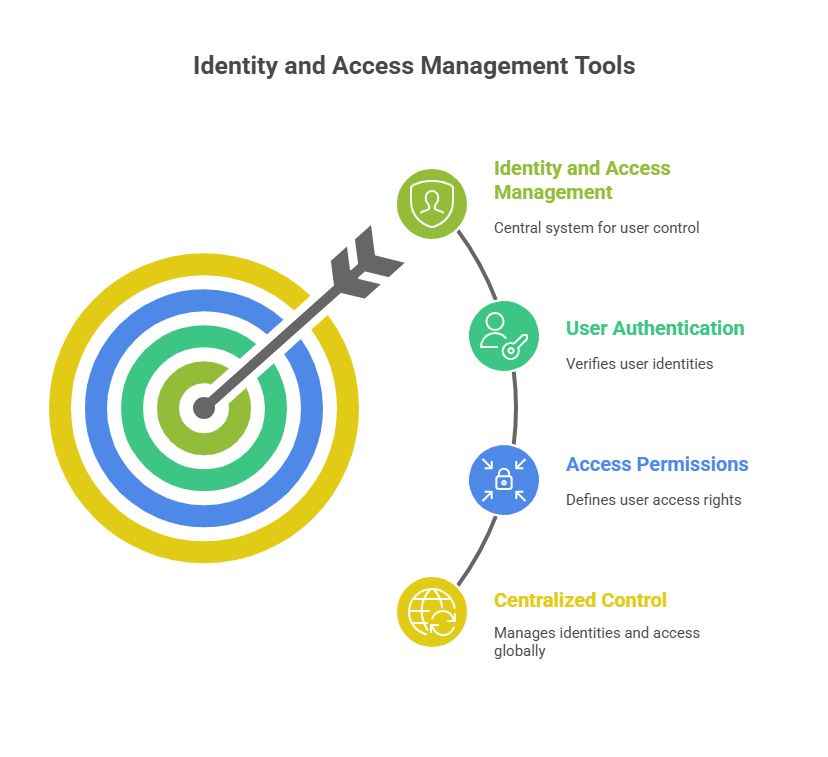
Identity and access management (IAM) tools help you answer two core questions: Who is this?” and “What are they allowed to do?”
IAM tools verify identities through authentication methods such as SSO and MFA, then enforce fine-grained permissions across your cloud providers, infrastructure, and SaaS applications. Rather than letting each system manage its own users and permissions, IAM tools centralize all identity data and access workflows, allowing DevOps and security teams to apply consistent, least-privilege controls.
When people say “identity and access management tools,” they’re usually talking about a whole stack. Not just classic IAM platforms, but also privileged access management (PAM), Just-in-Time (JIT) access orchestration, and secret scanning tools. JIT in particular has become a critical extension of modern IAM strategies.
Cloud-native environments are flooded with non-human identities (NHIs) like service accounts, workloads, and bots, each tied to secrets such as API keys and certificates.
This proliferation means IAM tools now need to govern both human and non-human access with the same rigor to avoid silent, large-scale over-permissioning. A recent State of Secrets Sprawl analysis highlighted that as NHIs multiply, so do the secrets tied to them. Traditional, reactive secrets management simply isn’t enough in automated, cloud-native environments.
Types of Identity and Access Management Tools
Modern IAM spans several categories, and many solutions overlap. Here are the core types engineering and security teams rely on:
Cloud-native IAM (AWS, Azure, GCP): The built-in controls you use to manage roles, policies, and permissions directly in your cloud accounts.
JIT and time-bound access platforms: Hand out temporary, scoped access only when it’s needed, so you can actually enforce least privilege across infra and SaaS.
Machine identity & secrets management: Systems that keep API keys, tokens, certificates, and other credentials for human and non-human identities safe.
PAM: Platforms that control and log elevated access, increasingly leaning on JIT so admins don’t carry standing privileges.
Authentication tools (SSO, MFA, passwordless): Services that prove who someone is but don’t decide what that identity can do after they’re signed in.
Access governance & authorization platforms: Tools that give you visibility and control over entitlements so you can right-size permissions and reduce continuous threat exposure.
Benefits of Identity and Access Management Tools
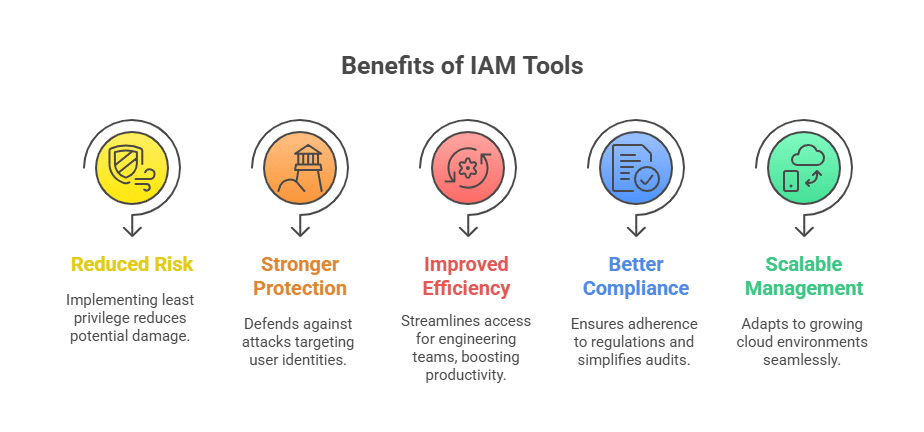
Reduced Risk Through Least Privilege
By centralizing roles, policies, and entitlements, IAM tools eliminate excessive permissions, especially among NHIs that accumulate broad access over time. This approach turns Zero Trust from a slideware concept into something your engineers feel day-to-day.
Stronger Protection Against Identity-Based Attacks
When attackers compromise a human or machine identity, they typically exploit misconfigured roles and standing privileges. IAM platforms strengthen defenses with features like real-time access controls that make identity-based intrusions significantly harder to execute.
Improved Operational Efficiency for Engineering Teams
Instead of relying on ad hoc approvals or ticket queues, teams can automate access flows, freeing up DevOps and platform engineers to focus on higher-impact work.
Better Compliance and Audit Readiness
IAM tools offer automated logging and entitlement reviews to reduce audit fatigue and eliminate spreadsheet-driven processes, similar to how efficient laboratory management practices emphasize traceable, well-documented workflows and data integrity.
Scalable Access Management for Cloud-Native Environments
IAM solutions scale policy enforcement and support dynamic access models, such as JIT, ensuring security remains consistent even as you adopt multi-account cloud structures and AI-driven automation.
Key Features to Look For in an Identity and Access Management Tool
Least-privilege automation: Look for IAM platforms that automate dynamic roles and fine-grained policies, rather than relying on one-off cleanup projects.
JIT and time-bound access control: Prioritize tools that support time-bound, scoped access and auto-expiring permissions so engineers don’t keep privileges “just in case.”
NHI security: Features that can discover, right-size, and continuously govern NHIs and their secrets are essential.
Compliance and audit readiness: Strong options provide centralized logs, reporting features, and access review workflows for repeatable auditing.
Cloud-native integrations: API-driven, cloud-native solutions embed access control directly into developer workflows (e.g., Slack, Teams, CLI) and manage policies as code as your environment scales.
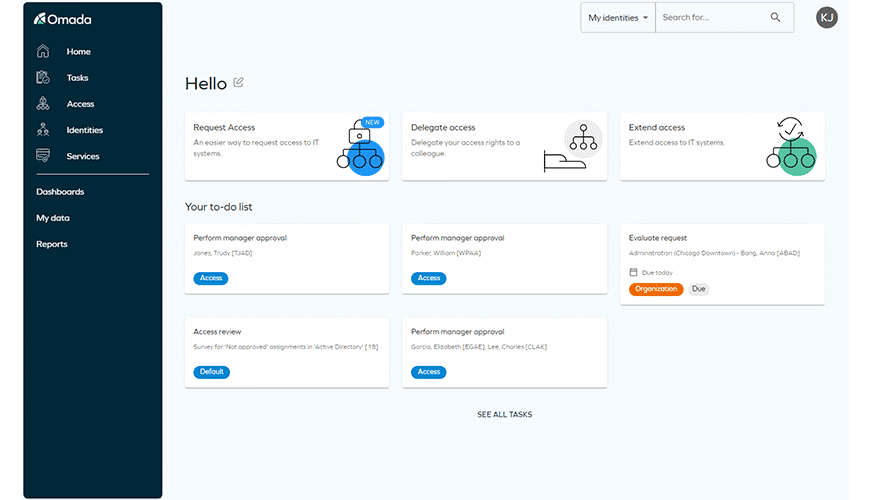
Omada Identity Cloud is a SaaS-delivered Identity Governance and Administration (IGA) platform focused on lifecycle management and access governance. It delivers policy-based controls and offers no-code configuration.
Main Features:
Risk analytics and AI-driven recommendations to identify anomalous access
SaaS delivery with standardized implementation program
Access governance with policy- and role-based controls
Price: By inquiry.
Best for: Deep identity governance and lifecycle management.
Review: “I love the clean interface, simplicity of features and controls, and how quick it is to edit user permissions.”
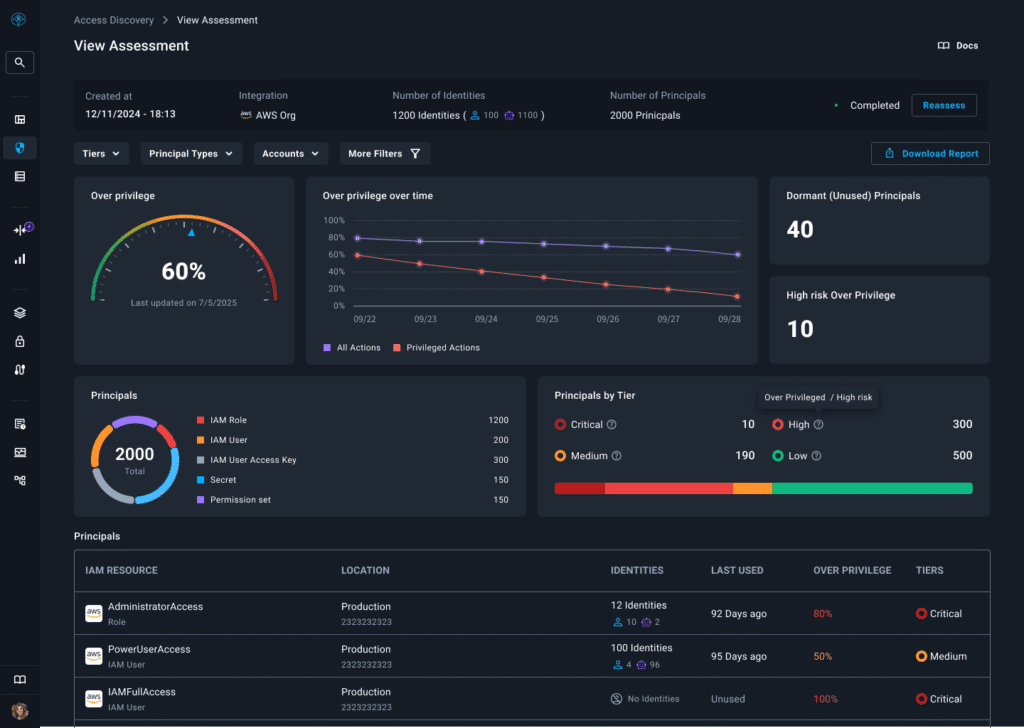
Apono is a cloud-native access management and privileged access platform that automates JIT and Just-Enough-Privilege (JEP) access across your entire stack. Instead of managing static roles or manual tickets, DevOps and platform teams define dynamic access flows that grant granular, time-bound permissions only when needed, then revoke them automatically. Apono is designed to eliminate risky standing permissions for both human and non-human identities without slowing down engineers.
Main Features:
Enforces automated JIT access policies across cloud providers, databases, and internal tools, drastically reducing standing privileges
Engineers request granular access directly from Slack, Microsoft Teams, or CLI, with policy-driven approvals
Pre-configured emergency and on-call access patterns speed up incident response
Centralized view of who can access what (including NHIs), with automated reports to support compliance audits
Price: Contact the Apono team for a tailored quote.
Best for: Cloud-native engineering and DevOps organizations that need to eliminate standing permissions and automate JIT and JEP access.
Review: “Quick and easy config to integrate access control with a myriad of service providers and data stores. For the admin, it’s pretty straightforward to define and implement access flows. For the requester, all they have to do is ask for it via slack and they get what they need within seconds.”
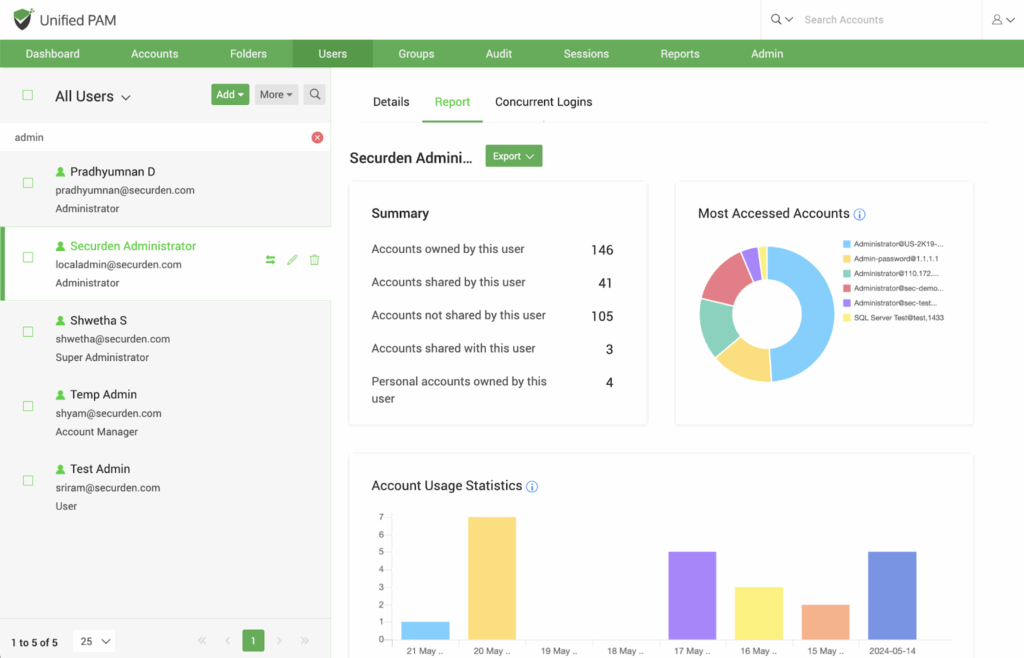
Securden Unified PAM focuses on securing high-risk accounts and keys across servers, databases, network devices, and SaaS. The platform supports on-prem and cloud deployments, making it flexible for hybrid environments.
Main Features:
Centralized vault for privileged account passwords and application credentials
Session management with monitoring and recording
Integrations with common IdPs (e.g., Entra ID, Okta)
Price: Quote-based pricing depending on your deployment option.
Best for: Traditional Privileged Access Management.
Review: “PAM got our own passwords safe and gave us a single, centralized way to manage customers’ passwords and remote access through a single interface.”
Next up is Segura, an identity security platform that evolved from a PAM solution into a broader identity and access management stack. It provides centralized control over privileged accounts, session recording, and access workflows while also covering general identity and access use cases.
Main Features:
Built-in integrations to record all privileged sessions for forensic analysis
Governance over both privileged and non-privileged identities through a unified platform
JIT elevation and detailed session recording for admins and service accounts
Price: By inquiry.
Best for: All-in-one PAM and identity security platform.
Review: “I would especially highlight the simplicity and speed of use combined with the breadth of functionalities in a single, highly integrated platform.”
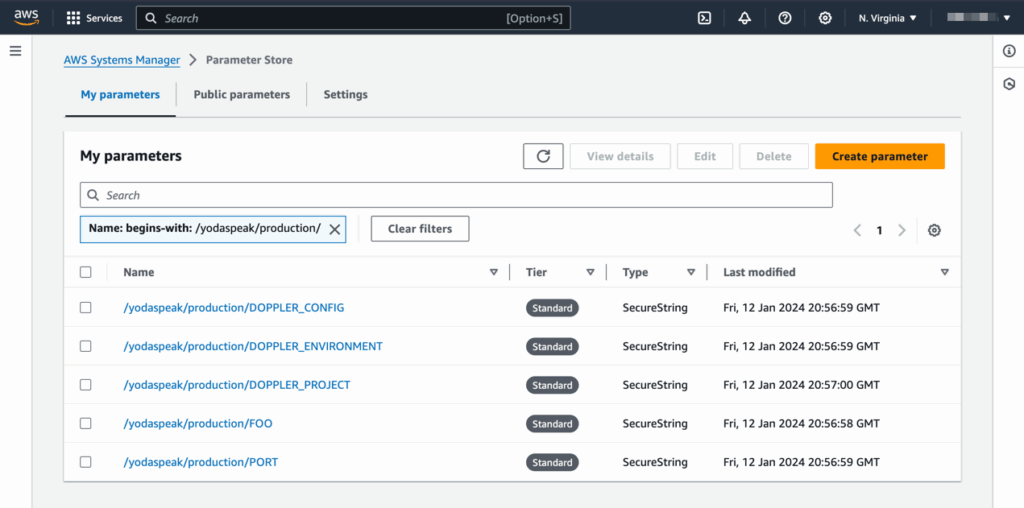
As a secrets and configuration management platform, Doppler centralizes API keys and environment variables for engineering teams. Instead of scattering secrets across CI/CD pipelines and cloud services, Doppler syncs them automatically to apps and infrastructure.
Main Features:
Audit logs, secret health analytics, and alerts via Slack and Teams
Dynamic secrets and automatic rotation capabilities
Centralized secrets store with automatic syncing into CI/CD and runtime environments
Price: Free Developer plan for up to 3 users; Team plan starting around $21/user/month; Enterprise tier is quote-based.
Best for: Centralized secrets and configuration management.
Review: “I really appreciate both the command-line interface and the user interface for managing secrets and keeping them in sync.”
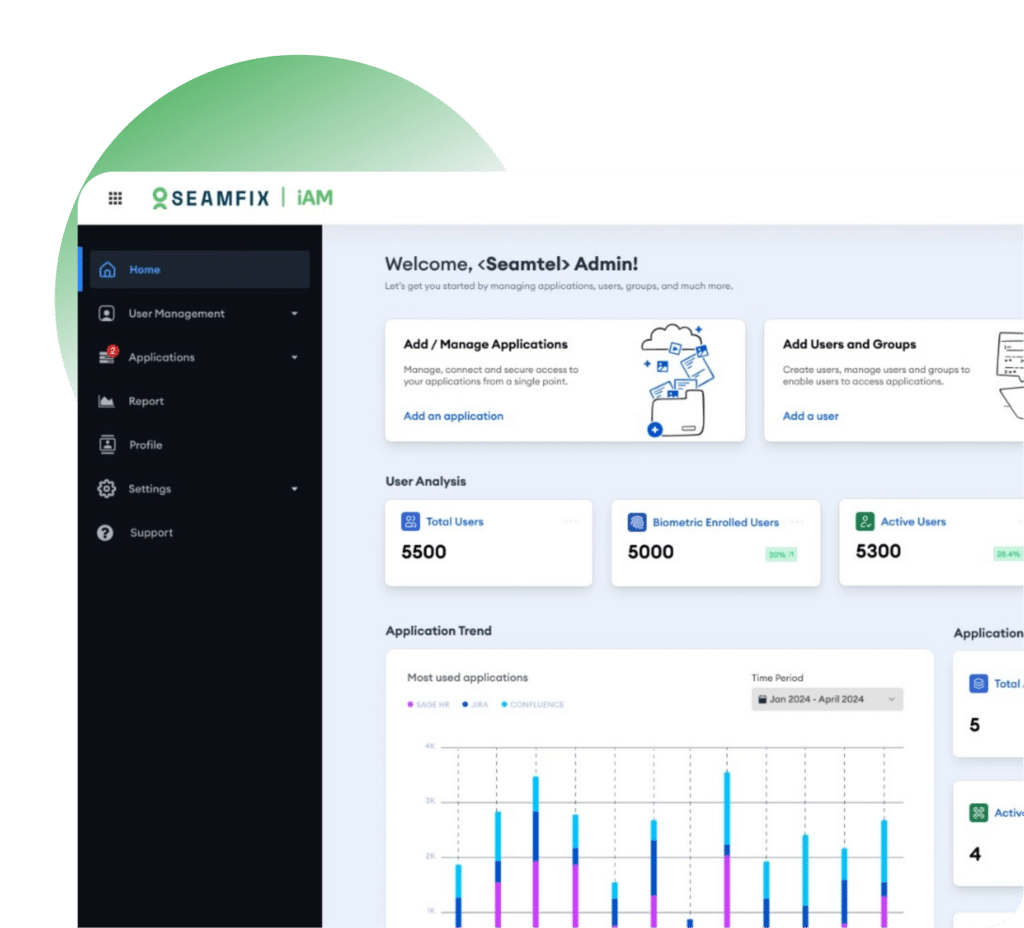
Seamfix iAM is a workforce and citizen identity platform focused on centralized identity lifecycle management and MFA. It provides a unified console to manage user accounts, roles, and application access, helping teams replace manual access management with policy-based automation.
Main Features:
Strong authentication with MFA and support for biometric login
Role-based access control and centralized policy management
Pre-built integrations with common enterprise and SaaS applications
Price: By inquiry.
Best for: Centralized workforce or citizen identity management and MFA.
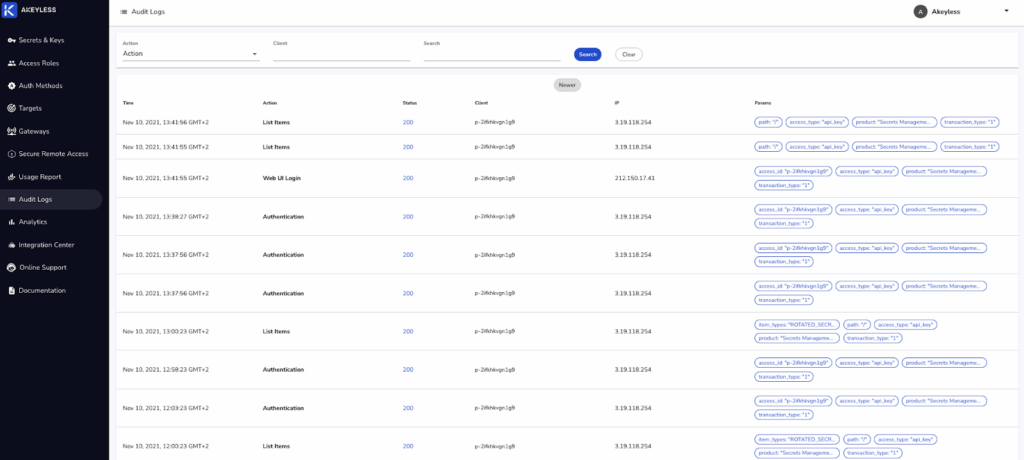
Akeyless is a cloud-native secrets management and modern PAM platform delivered as SaaS. Its “vaultless” architecture is designed to reduce traditional vault complexity while still providing enterprise-grade security and performance.
Main Features:
Vaultless secrets management to centralize and secure all secret types
Certificate lifecycle management and “bring your own vault” connectors
SaaS delivery with high availability and integrations into CI/CD pipelines
Price: By inquiry.
Best for: Consolidating secrets management and modern PAM.
Review: “Akeyless is a one-stop shop for everything—storing secrets, identity services, connecting to third-party tools, encryption, and more.”
As an open-source, API-driven IAM platform, WSO2 Identity Server supports SSO and MFA use cases. With its extensible architecture, WSO2 is well-suited to organizations that want to deeply customize identity flows.
Main Features:
High extensibility and API-first design, allowing custom authenticators and integrations
Support for modern cryptographic standards, including emerging post-quantum-ready capabilities
Standards-based SSO and identity federation
Price: Free open-source version. Enterprise support is quote-based.
Best for: Customizable, open-source IAM/CIAM platform.
Review: “What I appreciate most about WSO2 Identity Server is its comprehensive support for identity federation and single sign-on (SSO).”
FusionAuth is a developer-focused CIAM platform that can run self-hosted or as a managed cloud service. It provides authentication, SSO, MFA, social login, and user management for consumer-facing applications.
Main Features:
Flexible deployment: self-host via Docker/Kubernetes or use FusionAuth Cloud
Advanced features like WebAuthn/passkeys and breached password detection
SDKs and integration options designed for developer control
Price: The Community option is free. Then, prices rise from $125/month for Starter to $3,300/month for Enterprise.
Best for: Customer-facing authentication and CIAM workflows.
Review: “Their documentation is professionally written and well organized; that, along with their “Ask AI” feature, has made it possible to accomplish some sophisticated configurations.”
Infisical is an open-source secrets management platform that centralizes application configuration and secrets. It brings secrets, IAM-style access controls, and auditability into a single, Git-integrated workflow.
Main Features:
Wide integration coverage: GitHub, GitLab, Kubernetes, Docker, major cloud secret managers, etc.
Temporary access and automated secret rotation tied to expiration
Enterprise-grade governance via audit logs.
Price: Free open-source version, and enterprise is quote-based.
Best for: Modern, open-source secrets management platform with strong RBAC.
Review: “It is very easy to set up and use – even for some very complex infrastructure environments.”
Taking an identity-first approach gives you tighter control over identity-related attacks and cleaner audit trails as you scale into more clouds, more SaaS, and exponentially more NHIs. With the right stack, you can leave standing privileges and one-size-fits-all roles in the past, moving towards dynamic, least-privilege access.
Apono is a cloud native orchestration layer that automates time-bound access, granular approvals, and just-enough access for both users and NHIs. It discovers over-permissioned identities and removes risky standing privileges with auto-expiring permissions.
If you’re already investing in IAM, the next step is turning those policies into something your engineers actually feel less, not more. Apono helps teams operationalize Zero Trust in day-to-day workflows: approvals that are contextual instead of manual ticket ping-pong, and guardrails for NHIs that match the sensitivity of the systems they touch.
Ready to see how Apono can plug into your existing stack and eliminate standing privileges for good? For a deeper evaluation, grab thePrivileged Access Buyer Guide + RFP Checklist and benchmark your current tools against a JIT-first, identity-driven future.
Just-in-Time Access Policy Design for Cloud Security Teams
Just-in-Time access is widely accepted as a best practice for reducing standing privilege. The challenge for most organizations is not deciding to use JIT, but designing access policies that actually reduce risk without slowing engineers down. Security teams want tighter controls, stronger auditability, and less standing access. Engineering teams need fast, predictable access to do their work. When approval policies are too rigid, teams get blocked or work around controls. When policies are too loose, risk quietly accumulates.
This guide explains the core challenges of designing effective Just-in-Time access policies, outlines a practical policy framework, and shows how modern automation makes these policies enforceable at scale.
The Challenge of Balancing Security and Productivity
Access management usually breaks down because environments change faster than policies. Cloud environments are exceedingly dynamic and legacy PAM tools designed for the on-prem era simply cannot keep up with the needs of the business or the risks.
Common problems show up quickly:
Temporary access becomes permanent because no one wants to disrupt workflows
Manual approvals turn into bottlenecks, especially during incidents
The same rules are applied to low-risk and high-risk systems
Access reviews catch issues long after privileges have drifted.
The result is a model that satisfies neither security nor engineering. Just-in-Time access can solve this, but only when policies are intentionally designed around risk and duration.
Why Time-Bound Access Enables Effective Controls
Standing access creates risk because it exists even when it is not needed. Just-in-Time access reduces that risk by ensuring access is granted only for a defined window and removed automatically when the work is complete.
Effective JIT policies follow a few core principles:
Privileged access expires by default
Re-access requires a new request
Duration is enforced automatically
Approval requirements reflect risk
When duration is enforced consistently, approvals become a supporting control rather than the only line of defense.
Automatic, Self-Serve, and Manual Access Paths
Modern JIT policies should support different access paths based on risk, without forcing everything through the same approval model.
Automatic access Used for low-risk environments like development and sandbox systems. Access is granted automatically when policy conditions are met, but still expires. This keeps engineers productive while preventing access from lingering.
Self-serve on-demand access Used for moderately sensitive systems. Users request access when needed. Policies determine whether approval is automatic or conditional. Access is granted Just-in-Time and removed automatically.
Manual approval Reserved for high-risk systems such as production infrastructure and sensitive data. Requests require explicit approval and are tightly time-bound. This adds friction where it matters most, without making it the default everywhere.
The goal is not to approve everything. The goal is to align access paths with the sensitivity of what is being accessed.
Recommended Just-in-Time Access Policy Framework
The table below summarizes recommended access durations and approval models, based on Apono best-practice guidance.
These limits ensure access is time-bound by design and cannot quietly turn into standing privilege.
Using Context to Secure Break-Glass Access
Emergency access presents a unique challenge. During incidents, speed matters, but so does control.
By using context from incident response tools such as PagerDuty, Splunk OnCall, Opsgenie, Grafana IRM, or others, organizations can allow break-glass access only when an active incident exists or when an engineer is on call. Elevated access is granted temporarily, tightly scoped, and removed automatically when the incident ends.
This approach enables fast response without relying on permanent admin access or broad emergency roles.
Enforcing JIT Policies Automatically With Apono
Policy design only works when enforcement is consistent and low effort.
Apono enforces JIT access policies directly in the access flow. Every request includes a required duration. Access expires automatically and must be re-requested if needed again.
Instead of relying on pre-created roles, Apono dynamically creates ephemeral roles on the fly based on the specific resource, and context. Permissions are assembled Just-in-Time, scoped Just-Enough, and removed when access expires.
This approach reduces overprivilege, eliminates role sprawl, and significantly lowers the operational burden on admins. Security teams define policy once, and Apono handles provisioning, expiration, and cleanup automatically.
All requests, approvals, role creation, and expirations are logged by default, creating a clear audit trail without manual evidence collection.
For auditors, this provides clear evidence of who accessed what, why, and for how long. For security teams, it turns compliance into an ongoing control rather than an annual scramble.
Designing Policies That Scale
Strong JIT access policies are not about adding friction. They are about removing standing access while preserving productivity.
By combining enforced expiration, dynamic role creation, risk-aligned approvals, and contextual controls, organizations can reduce privilege exposure, simplify audits, and give engineers the access they need without overprovisioning.
This framework provides a practical starting point for designing JIT access policies that scale with modern cloud environments.
Turn JIT Policy Design Into Enforced Access
You’ve seen how effective Just-in-Time access policies are designed—time-bound access, risk-aligned approvals, and automatic expiration.
The next step is turning those policies into something that actually works in production.
Or, if you’re ready to see how this works in practice, book a demo to explore how Apono enforces JIT access with dynamic permissions, automatic revocation, and full auditability.