From Access Details to Actually Connected: Introducing the Apono Access Launcher

Craig Lowell
June 29, 2026
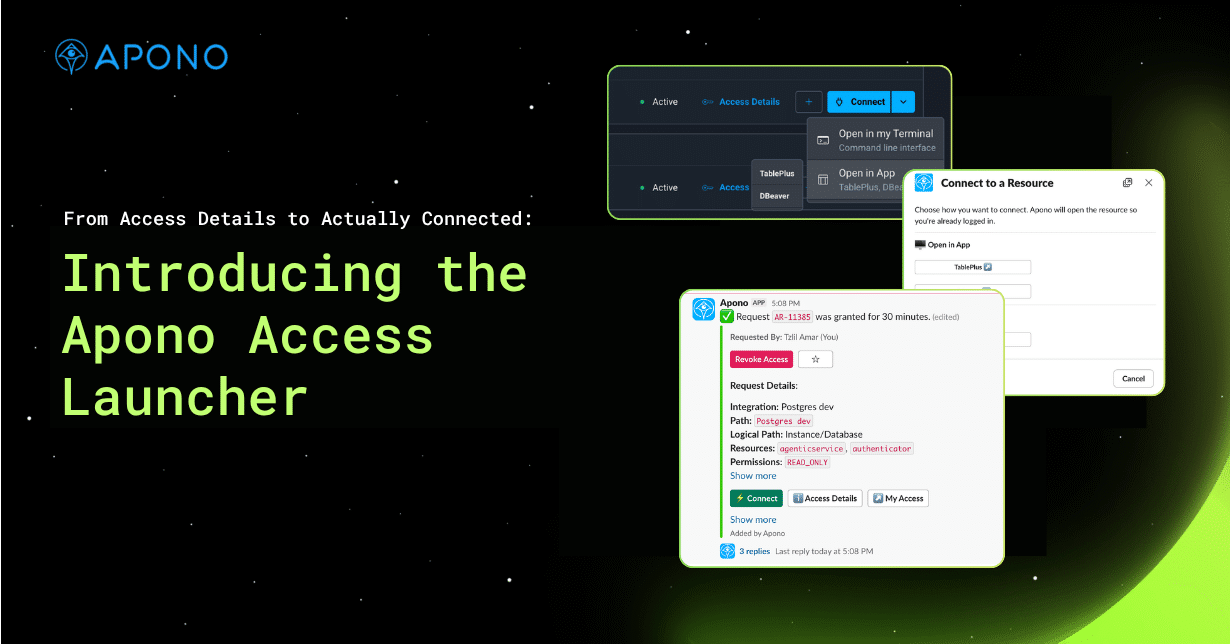
Approved access shouldn’t mean you’re done waiting. For most developers, it just means the friction is about to start.
You request access to a database. It gets approved. Now what? You open the portal, navigate to your request, find the session, click into Access Details, hunt for the right tab, copy a hostname, switch to your database client, create a new connection profile, paste in the hostname, go back for the username, go back for the password. And finally, connect.
Whew. That’s a lot of steps.
The new Apono Access Launcher changes this. Instead of handing you credentials to copy and paste, Apono now launches your environment directly: the terminal, the database client, the cloud console, whatever tool you actually work in.
A problem worth solving
Apono’s existing Access Details experience works. Users rate it well. But working and frictionless aren’t the same thing.
From submitting a request to getting into your session takes roughly 24 seconds. That compounds fast when a developer starts their day by spinning up access to multiple databases, SSH servers, and Kubernetes clusters. When you account for the full journey from approved access to actually connected, mean time to access runs well over a minute. Beyond raw time, there’s cognitive overhead: Which tab do I need? Were these credentials rotated? Did I copy the right value?
In Slack, it gets worse. Approval notifications tend to bury the Access Details button inside long messages. Users scroll, squint, and miss it.
What Access Launcher does
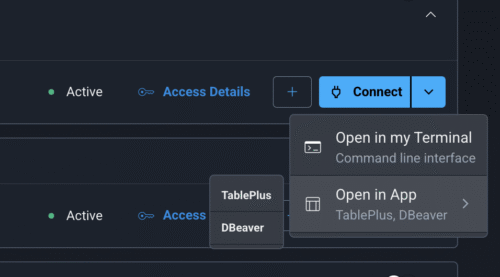
The Access Launcher adds a Connect button at the top of every session card. Clicking it gives you a context-aware menu based on what you’re connecting to:
- Open in Terminal: fires up the Apono CLI with credentials already loaded
- Open in App: launches DBeaver, TablePlus, or k9s with the connection profile pre-configured
- Open in Browser: for cloud consoles and web-based resources
The experience works like clicking a Zoom meeting link. The browser opens a tab, the Apono CLI protocol handler fires, credentials are fetched securely, and your client opens. You never see a password or have to copy anything. You’re just in. This works across the Apono Portal, Slack notifications, and the Slack Home tab.
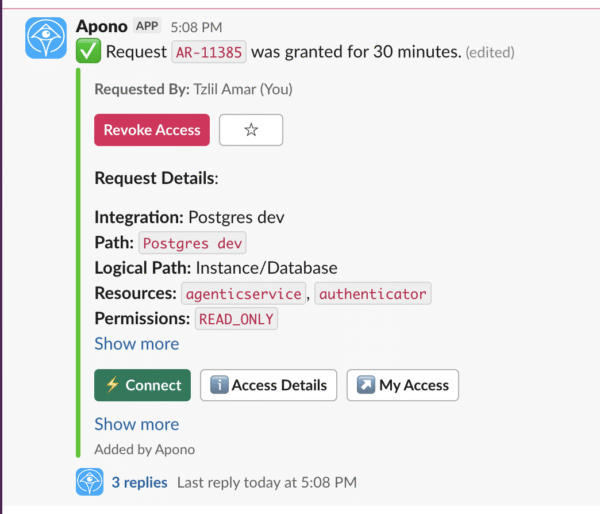
Credentials stay with the Apono CLI the entire time, handled exactly as they always have been. Nothing sensitive touches a URL or clipboard. Think of it like a password manager: you get the passwordless experience without eliminating the credential. You just never have to touch it.
Why it matters for Engineering teams
Developer friction from JIT access is an adoption problem, not just a UX one. When copying credentials is annoying enough, developers find workarounds: keeping terminals open longer than they should, saving credentials locally, pushing for security exceptions. The Access Launcher removes the incentive for those workarounds. It can lower mean time to access from over 100 seconds to under 30, not by weakening the access model, but by eliminating the manual steps that pad it out.
Nothing about the underlying security model changes. Zero Standing Privilege enforcement, time-bound sessions, and credential isolation work exactly as before. The launcher is purely about what happens after access is approved.
For developers, the result is simple: approved access means you’re in. For security teams, the access model is exactly as strict as it’s always been. Apono just gets out of the way faster.
To learn more about the Apono Access Launcher, check out our documentation or reach out to schedule a demo with an Apono expert.