
Apono Brings Just-in-Time Access to AWS IAM Account Access Manager

Elad Plachzinsky
Technical Product Manager
October 14, 2026

AWS just shipped AWS IAM Account Access Manager (AAM), a new way to grant AWS access through AWS IAM Identity Center using IAM roles. Apono is supporting AAM from day one, bringing just-in-time provisioning directly to the IAM roles your teams already trust.
If you’re running AWS IAM Identity Center today, you’re likely provisioning access through permission sets. They work well for a lot of teams, but still come with some limitations:
- Technical ceilings: Permission sets have hard policy size and character limits, and IAM Identity Center enforces uniformity across accounts with no room for custom trust-policy conditions. On top of that, there are limits on both permission sets per org and roles per account that can cause provisioning to stop working, regardless of what Apono does on top of it.
- SCP/RCP and assume-role fragility: Permission-set roles get an auto-generated [AWSReservedSSO_*] name with a random suffix, and that suffix can change on reassignment. Any SCP, RCP, or cross-account trust policy written against a specific role ARN has to be rewritten or loosened every time that happens.
- Per-identity role provisioning limits. Granting a dedicated provisioning role per user identity can, on its own, push an account toward its IAM role limit.
For security-mature organizations with their own IAM role catalog, these limitations can block a full Just-in-Time rollout across the AWS organization.
AAM resolves all three by letting IAM Identity Center bind directly to a role you already own and manage. The role keeps its own name, path, and trust policy, governed by IAM limits instead of the limits IAM Identity Center enforces. SCP, RCP, and trust-policy references stay stable because the role’s name and path never change. And because the grant itself is managed by AAM, it doesn’t add a new provisioning role per identity on top of what you already have.
Apono’s job is to make that existing role requestable and grantable on a just-in-time basis, the same way we do for permission sets today.
What this unlocks
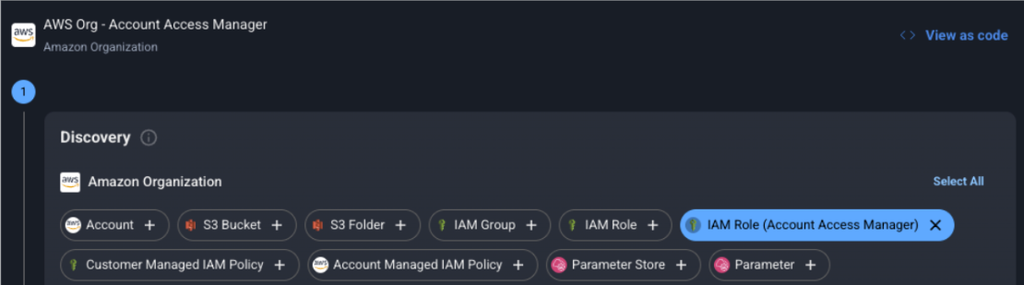
Your existing IAM roles don’t need to change. What Apono adds is everything around them: automatic discovery of which roles are AAM-eligible, the trust policy work to bind them, and just-in-time access on top.
AAM matters because it gives IAM Identity Center customers a real choice. Permission sets are easy to provision, but come with certain constraints that AAM now addresses for teams that need it. AAM lets you keep using your own IAM roles, with your own naming conventions, trust policies, and governance, while still getting the centralized access management IAM Identity Center provides. In doing so organizations with ABAC-based access control or SCP/RCP guardrails tied to specific role ARNs, are now able to take full advantage of that centralized access that makes IAM Identity Center so valuable.
This covers a few overlapping groups that we consistently hear from:
- Teams blocked by permission set limits: If your IAM roles hit policy size or character ceilings, or if your account structure runs into permission set or per-account role limits, there was previously no path to bring those roles under IAM Identity Center-based JIT. AAM gives you one, because the role is governed by IAM limits instead of the limits IAM Identity Center enforces.
- Teams that won’t migrate, even if they technically could: Rebuilding a role you’ve run for years as a permission set means re-testing it and risking subtle changes in behavior. AAM lets you point Apono at the role as-is.
- Teams who don’t want creation of new IAM roles: With AAM, Apono is binding-only. We never author or clone your permission policy. The role, and everything it grants, stays fully in your hands.
For all three, the outcome is the same: full JIT coverage across your AWS environment without touching your existing role catalog, and without asking Apono to own policy it shouldn’t own.
Getting started
If your organization is already running AWS IAM Identity Center and maintaining your own IAM role catalog, this is built for you. Want to see how AAM support works with your existing setup? Reach out to book time with our team.